We get asked all the time: what's the best projector for a golf simulator?
Short answer: it's usually a short-throw projector with enough brightness for your space and a setup that actually fits your room.
If your space is limited, prioritize throw ratio first. If your room has ambient light, prioritize brightness.
Most golfers don't get this wrong because of bad gear. They get it wrong because the projector doesn't match the space. Picking the right projector for your setup may sound like a challenging bunker shot. But don't worry! With Carl's Place as your knowledgeable caddy, we got this.
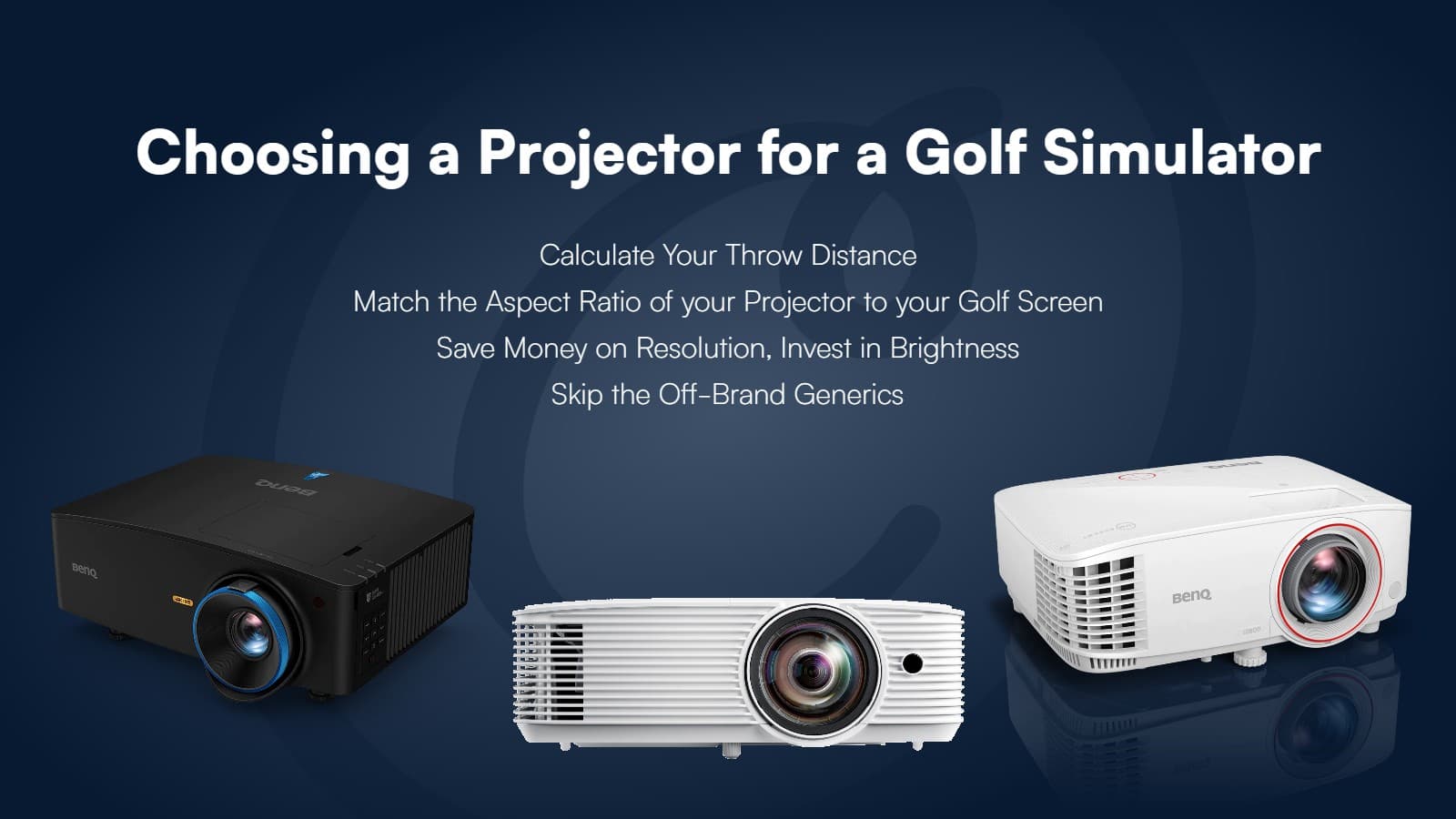
Quick Projector Picks
If your room is shallow (under 15 ft): You need a short throw projector
If you have ambient light: Aim for at least 2,500 lumens (more is usually better, until you get to the super high dupes)
If your screen is 12 ft or wider: 4K starts to make a noticeable difference, but only after brightness and placement are right
If you're budget-conscious: Prioritize brightness and throw ratio over resolution
What actually matters most: Fit your space first. Then get enough brightness. Everything else is secondary. Most indoor golfers get this wrong. They chase 4K first. In real setups, brightness and placement matter more.
6 Tips to Buy a Projector for Your Golf Simulator
- Think About a Golf Simulator Projector VERY Early On
- Understand How Aspect Ratio Affects Your Setup
- Know Where You Can Mount Your Projector
- Be Aware of Ambient Light in Your Room
- Be Wary of the Off-Brand Generics
- Look for Features that are Important To You
These 6 tips will help you make the best choice for your golf simulator projector. There is nothing quite like hitting a golf ball into a screen with a life-size golf course projected onto it.
Jump to Section |
|
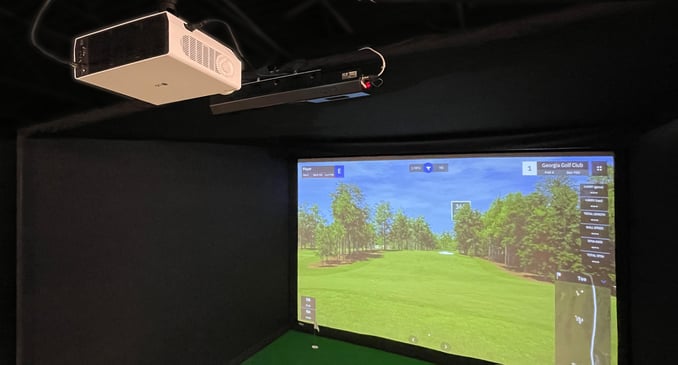
First things first, if you already have a projector in mind, go ahead and jump over to build your golf simulator. It's a great way to skip the whys and hows of golf simulator projectors and start the setup.

6 Tips to Choose a Golf Simulator Projector
The right projector is an important piece in putting together a high-definition golf simulator. Finding a projector with the specifications that fit your space will give you a better-fitting, better-looking image.
Are projectors in a golf simulator setup a necessity? No. You can use some other sort of monitor - TV, computer screen, phone, and so on - to show your data and your ball flight. But, a projector in your golf simulator makes for a much more immersive experience.
1. Think About a Golf Simulator Projector VERY Early On
It's a good idea to consider your projector from the beginning of your golf simulator build project. The projector specifications may influence your choice of screen size. Or vice versa.
Not every projected image is a perfect fit for every screen.
Are you working with a specific room and need a projector that fits the bill? Or do you have more flexibility to create a setup where the projected image fills the screen cleanly? Ask yourself these questions before diving into the world of golf simulator projectors.
Creating a golfable indoor setup can be achieved in many ways. A perfect match between the screen and image, or simply making it functional to fit your space and enjoy indoor golf.
Knowing what to expect is key.
Take a look at these examples of golfable simulator setups to get an idea of how projected image size relates to screen size.
Picture Perfect! |
|
|
See how the projected image perfectly fits the screen? Here, the image and screen aspect ratios match. The projector was mounted at a throw distance that lets the image completely fill the screen. Pretty perfect setup here, but something not every space is capable of. |
|
Fill the Screen Top to Bottom |
|
|
Most golf rooms aren't wide enough to achieve the Picture Perfect look. A golfer can set the projector back far enough to fill the screen top to bottom though. On the left and right, you can see the image flows over the edges of the screen onto the enclosure. This golfer chose to have the tallest image they could. |
 |
Fit the Image Side to Side |
|
|
Alternatively, this golfer chose to see the entire image. You won't use the whole screen then, you'll see masking bars on the top and bottom. This is also a great golfing setup that fits the space available. |
 |
Fit the Image to the Screen |
|
|
Some setups use supported aspect-ratio settings or a custom output resolution to fit the screen without stretching the image. Stretching or cropping introduces different compromises. Keystone correction addresses angled projection, rather than a mismatch between screen and image proportions. |
|


Indoor golfers often set up their screens in the space available to them, making adjustments as needed.
What golf screen size should I get? Get the largest golf simulator enclosure that will fit in the space you have available. For a full breakdown on screen dimensions, buffer space, aspect ratio, and how they all work together, see our golf simulator screen size and aspect ratio guide. Once you know your screen dimensions, come back here to find a projector that fits.
Need help finding a projector for a particular space? We're happy to help you find a projector that fits your needs.

2. Understand How Aspect Ratio Affects Your Setup
Aspect ratio is the proportional relationship between the width and height of a projected image, expressed as width:height. A 16:9 image is 16 units wide for every 9 units tall. A 4:3 image is 4 units wide for every 3 units tall.
 What matters for projector selection is whether your projector's native aspect ratio is a reasonable match for your screen shape. When they match, the image fills the screen. When they don't, you either accept masking bars (unused screen area), let the image spill past the screen edges, or output a custom resolution that uses fewer of the projector's available pixels to match the screen proportions without distorting the image.
A nonstandard screen size does not automatically mean a distorted image. Most setups can be dialed in with supported aspect-ratio settings or a custom output resolution. What it does mean is that you won't be using the projector's full pixel count, so brightness and contrast matter more, not less.
What are masking bars?
Think of the black bars you see when a film hasn't been formatted for your TV. In a golf simulator, unused screen area shows as white bars. A 16:9 projector displaying content on a taller screen will have bars on the left and right. A 16:9 projector displaying content on a wider screen will have bars on the top and bottom. The bars appear on whichever sides the image doesn't reach.
We always tell golfers to build a simulator that makes the most use of their space. A bigger simulator makes a more comfortable swinging area. Carl's Place will customize your golf enclosure and screen to fit your room.
Which aspect ratio is most common for golf simulators?
Most projectors have a native 16:9 ratio, which is the standard for HD and 4K content (1920×1080 and 3840×2160, where width comes first). Many golf simulator rooms can't accommodate the full width of a 16:9 screen, so 4:3 is a popular choice. It produces a taller image relative to its width, which fits narrower rooms without needing as much horizontal space.
16:10 sits between the two and is growing in use. It gives you a bit more height than 16:9 while staying wider than 4:3, which works well for rooms with moderate width constraints.

Forcing a native 16:9 projector to display in 4:3 or a square format using in-projector settings can significantly increase the required throw distance, because the projector is now only using part of its native image width. If you go this route, recalculate your throw distance using the actual output width, not the full native image width. The screen size calculator can help.
Need help finding a projector with the aspect ratio you need? We're happy to help.
3. Know Where You Can Mount Your Projector
Placement matters as much as specs. A great projector mounted in the wrong spot will still give you a bad image, shadows on the screen, or a projector sitting right in your swing path.
Close or Far: What's Your Throw Distance?
The right mounting distance depends on your screen size, your projector's specs, and whatever obstacles are in the way. Outlet placement, soffits, fans, speakers, furniture — all of it can force the projector into a spot that isn't ideal. Make sure your projector can fill the image size you want from wherever it actually has to go.
Keep in mind that the farther the projector is from the screen, the dimmer the image gets and the more likely you are to see shadows.
Ceiling or Floor?
Most golfers ceiling mount their projector. They place it above, or slightly behind the tee to avoid seeing their own shadow on the projected image. Carl's go-to recommendation is 4 feet behind the tee for a ceiling-mounted short throw projector. That puts it far enough back to avoid most backswings while keeping the throw distance short enough to maintain a bright image.
Your specific projector's throw ratio and your screen width will determine whether that holds for your setup.
If you have a higher ceiling, drop mounts are a fantastic solution for suspending your projector at the optimal height.
If you have limited ceiling height or lack depth in your golf room, floor placement can be a viable option. A floor projector needs to be closer to the screen. Naturally, you can't put a floor projector behind you because all you'd see is your shadow. So you need a projector capable of making a big picture from a short distance, aka a short-throw projector.
To safeguard a floor projector from errant shots or potential damage, use a projector case. Your projector remains secure, and you can focus on improving your swing without worrying about flying golf balls.
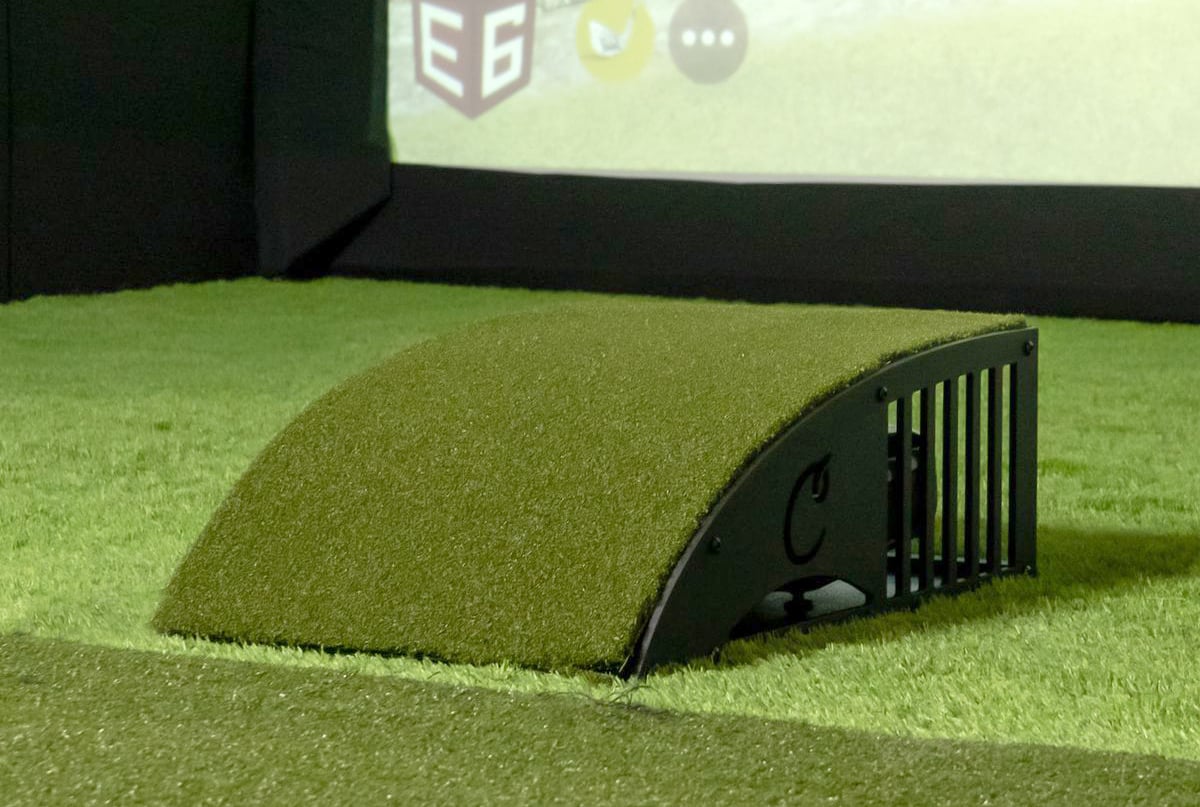
Note that projectors typically have a vertical offset, so when you place your projector on the floor, the image will naturally project higher on your impact screen. You might have to do some adjusting to tilt the back of the projector up, which helps the image come down to fit your impact screen better. Carl crafted these wedges to help tilt your projector; the wedges are included with the purchase of a floor projector enclosure.
Keystone, Lens Shift, and Offsets: Fine-Tuning the Picture
When a projector can't be mounted perfectly perpendicular to the screen, these adjustments help clean up the image. They're useful, but they have limits.
Lens shift enables you to move the lens and projected image horizontally or vertically, making it easier to align the projection precisely.

Keystone correction allows you to fine-tune the trapezoidal distortion that results from angled projection. It does not change the aspect ratio of the image or compensate for a screen shape that doesn't match your projector's output. If your projector is mounted perpendicular to the screen, keystone correction shouldn't be needed at all. Use it sparingly: the more correction applied, the more image quality is reduced.

And pay attention to the offset of the projector, you'll find this in the specifications of the projector. Projector offset refers to the vertical displacement of the projected image in relation to the centerline of the projector's lens.
DID YOU KNOW? The BenQ AH700ST and AK700ST basically install themselves with special technology that automatically fits your projected image to your impact screen.
 Projector offset is typically displayed as a positive or negative percent. Positive offset means that the projected image appears higher on the screen compared to the centerline of the lens. Conversely, a negative offset means the image appears lower on the screen relative to the lens centerline. Bear in mind, those definitions are reversed if you're ceiling mounting, as projectors on the ceiling are mounted upside-down.
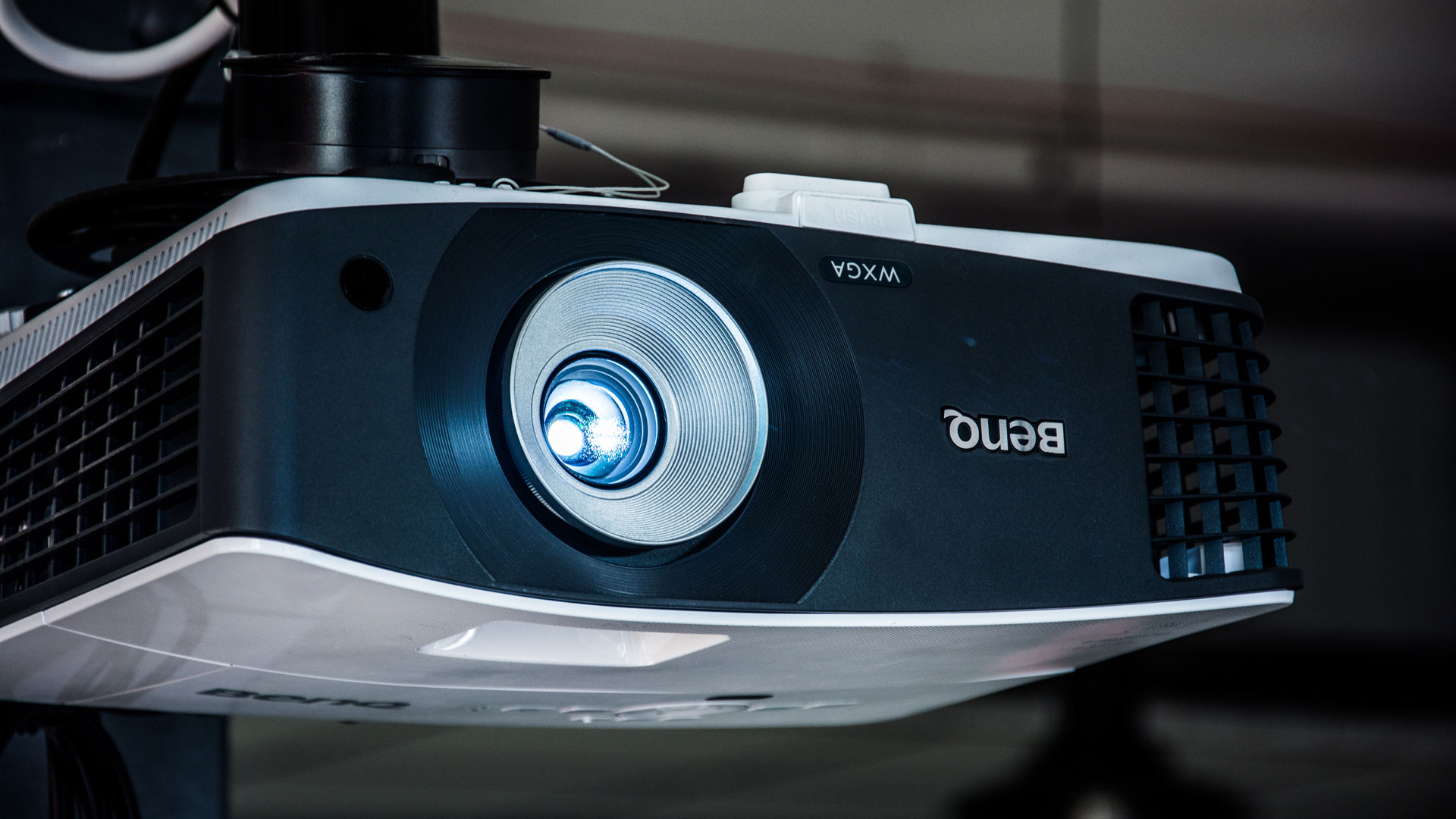
You may need to adjust the mount or use blocks under a floor projector to compensate for offset displacement.
Need additional help figuring out where to mount your projector?
4. Be Aware of Ambient Light in Your Room
Ambient light is the projector's enemy. Too much of it and the image looks washed out, colors go flat, and the whole thing feels underwhelming no matter how good the projector is. Read more about how to deal with ambient light in your golf simulator room. few ways to deal with it:
How many lumens does a golf simulator projector need?
In a low-light environment, you want at least 1,500 lumens for a decent picture. For a higher-quality picture or in a space that isn't ultra-dark, aim for 2,500 to 3,500 lumens. In a room with significant ambient light (overhead lights you can't kill, windows you can't cover), plan for 4,000 lumens or more.
Be skeptical of high-brightness claims from ultra-cheap projectors. They often compromise on contrast or color accuracy, and you end up with a bright image that still looks bad. It's all about finding the best golf simulator projector at a cost you can afford.
Types of Light Source in a Projector
When choosing a projector, there are several options when it comes to what produces the light. Some use a traditional lamp, some use LEDs and still others use laser technology.
Lamp Projectors
Lamp projectors can be cost-effective and provide the best value in lower or intermittent usage scenarios.
LED Projectors
While typically more expensive, many buyers are opting for lamp-free models in an effort to eliminate the expense and inconvenience of regular lamp replacement. While not known for extreme brightness, the primary benefits of LED projectors are that they're smaller in size, produce less heat and last quite a bit longer than traditional lamp projectors.
Laser Projectors
Laser projectors boast even lower maintenance, improved brightness and higher contrast than the more affordable lamp or LED models. This article provides an in-depth discussion of lamp vs. laser.
5. Be Wary of the Off-Brand Generics
There are a lot of no-name projectors out there that we generally recommend avoiding. The discerning viewer will be able to tell the difference.
And who wants the fairway to look like pixelated rough when you hit the perfect shot?
Stick with these trusted projector brands: Appotronics, BenQ, LG, Optoma, Epson, Panasonic, and ViewSonic. Any favorites we're missing?
Common Projector Mistakes in Golf Simulators
- Choosing resolution over brightness
A dim 4K image looks worse than a bright 1080p image in most setups. - Ignoring throw ratio
This is the #1 reason projectors end up in the swing path. - Trying to force a perfect screen fit
Most setups require compromise. Fit your space first, then optimize the image. - Mounting too low
This creates shadows and increases the risk of hitting the projector. - Overusing keystone correction
It fixes the trapezoid caused by angled projection but reduces image quality. It is not a substitute for matching your projector's output shape to your screen.
6. Look for Features that are Important To You
Are there any other extras that are important to you?
Do you want:
- Wireless connectivity?
- Built-in speakers (handy for outdoors though the speakers are rarely worth using)?
- 4K resolution?
Whatever your priority is in a golf simulator projector, look for those features.
When it comes to resolution, Carl says that 4K is great, but for the budget weary, it's not always worth it. Carl said he would prefer to spend the extra money on a laser projector that is easier to maintain versus narrowing the search to only a 4K projector.
Always make sure you're aware of the "native resolution" of the projector you're considering. Many will list "up to" resolutions that aren't meaningful if the native resolution is lower. If it has a native resolution of 800×600 but lists "up to" 1920×1080, it simply means that the image will technically display, just blurry and distorted. Avoid this by making sure the native resolution is clearly stated and is what you need.
The native resolution also determines the aspect ratio of the projector.
16:9 is the most common native aspect ratio for home theater projectors. 1080p is 1920×1080 and 4K is 3840×2160, where the first number is always width. Yet, many indoor golfers find they don't have space to fit a 16:9 golf simulator. 4:3 tends to be a popular choice for golf simulators (1024×768 most often), as the taller shape fits narrower rooms.
A 4K projector is great and all, but unless you compare it side by side with a 1080p, you might not notice a big difference. The texture of a golf impact screen can make it more difficult to appreciate the 4K resolution. Many users opt to save money on resolution, then put those extra funds toward a better launch monitor or software.
1080p Projectors
1080p projectors are still the mainstream choice for home golf simulator projectors. They're affordable and offer great image quality.
4K Projectors
4K projectors, sometimes referred to as Ultra HD, offer four times the pixels of standard 1080p resolution. While they are becoming more affordable, 4K projectors are still quite a bit more expensive than 1080p projectors.

Need more help finding a projector? Our customer service crew loves to talk about throw ratio, aspect ratio, mounting options, and all that jazz.
Projector Specifications that Influence Golf Simulators Most
Two specs matter more than anything else when choosing a golf simulator projector: aspect ratio and throw ratio. Get these right for your space and everything else falls into place.
To calculate the throw ratio you should look for in your projector, you need to know two key measurements: the distance between the projector lens and the screen (throw distance) and the width of the projector's full native image at that distance. The throw ratio is calculated by dividing the throw distance by the full native projected image width.
Throw Ratio = Throw Distance / Full Native Projected Image Width
The farther the projector is from the screen, the bigger the image will get.
Check the projector's specifications for its throw ratio. Generally speaking, most projectors fall in a similar throw ratio range. The projector itself determines the maximum image size based on how far it is mounted from the screen.
If you have an impact screen and projector, and know the throw ratio from the projector's specs, you can calculate throw distance like this:
Throw Distance = Throw Ratio x Full Native Projected Image Width
Note: the throw ratio spec assumes you're using the full width of the projector's native resolution. If your setup displays a narrower image — such as 4:3 content on a 16:9 projector — use the width of the content being displayed, not the projector's maximum native image width, when calculating throw distance. The screen size calculator handles this for you.
Be careful buying a projector that can't fill the screen you want from the mounting point you want; although the golf simulator would still be functional without a perfectly filled screen, it might not be that immersive feel you were going for.
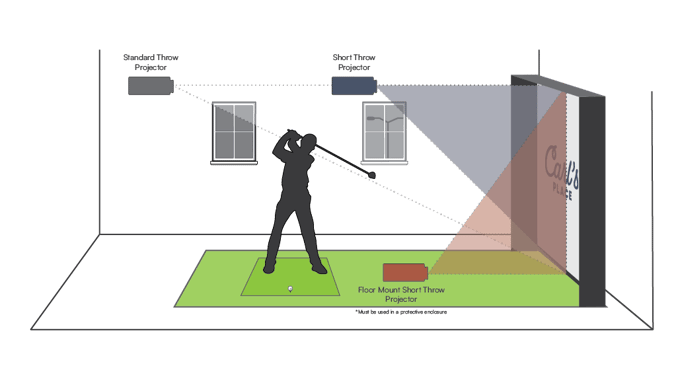
Carl says that most of the time, yes, indoor golfers will need a short-throw projector. (Or something similar at the shorter end of the standard throws.) But you have to do the math to make sure. Use our screen size calculator to determine the throw distance needed for your screen size and projector model.

Standard Throw Projectors
Standard throw projectors have a throw ratio above 1.0. Be careful, a lot of times these don't work for golf simulators. They mount too far back that the projected image will go through the golfer and cause shadows on the screen. However, if you have enough space and height, you might be able to mount your projector in a spot that would avoid shadows.
Short Throw Projectors
A (non-ultra) short throw projector typically has a throw ratio between 0.4 and 1.0. These are the most common projectors used in golf simulators. They fit the space well and they balance cost and function.
Ultra Short Throw Projectors
If you have a particularly small hitting area, an ultra-short throw (UST) projector might be your only option. But, watch out, this often places the projector right next to your impact screen and directly in line with where you're hitting golf balls. If you didn't know, projectors rarely win against fast-flying golf balls. A projector is typically considered to be Ultra Short Throw if it has a throw ratio of less than 0.4.
Can you help me calculate throw distance?
Sure! Throw distance is the full native projected image width multiplied by the throw ratio. You can find the throw ratio in your projector's specifications.
Example 1. You like the BenQ TH671ST projector. It has a throw ratio of 0.69–0.83 and a full native image width of 115 inches. You're wondering how far away you're going to have to mount your projector. Multiply 0.69 × 115 inches. That is the minimum distance from the screen: 79 inches. Multiply 0.83 × 115 inches. That is the maximum distance from the screen: 95 inches. You need to mount your projector between about 79 and 95 inches away from your impact screen.
Example 2. You've found the perfect spot where you want to mount your projector. It's about 8 feet away from your screen. Your screen has a full native image width of 191 inches (15.9 feet), but you're not sure which projector to get. Take the throw distance of 8 and divide by the width of 15.9, and your throw ratio is 0.50. For this setup, you would be good shopping for a Short Throw Projector, like the Optoma ZH450ST.
Long-division skills a little rusty? Try laying it all out in Carl's Build Your Own Golf Simulator tool. You can visualize where you put the projector in real-time.
Custom Designed Golf Rooms
If your golf room requires something different, we can help! Did you know Carl's Place offers custom golf room design? We'll help you lay out the floor plan and specifications of your golf room. Schedule a consult!

Can't decide? Carl's Build Your Own Golf Simulator Tool helps you visualize your space.

Golf Simulator Projector FAQs
Do I need a projector for a golf simulator?
No, but it creates a much more immersive experience than a TV or monitor.
What lumens do I need for a golf simulator projector?
Most home setups need 3,000 to 4,000 lumens. But, a well-controlled dark room can work with 1,500-2,500. If you have overhead lights or windows you can't fully block, 4,000+ is the safer target.
What is the best throw ratio for a golf simulator projector?
Short-throw projectors between 0.5 and 0.9 are ideal for most rooms.
Can I use a regular projector in my golf simulator?
Yes, but many standard projectors won't fit properly due to throw distance limitations.
What is the best projector for a golf simulator?
Here's some of our favorite golf simulator projectors.
You can probably tell though, shopping for a projector is no easy task. You have to consider throw ratio, setup needs, image quality, and more.

Our very own Carl spoke more with Projector Central about golf simulator projectors.
Projector Terminology
Did anything we mention cause you some confusion? There are so many terms and measurements when it comes to projectors, here's a projector dictionary you might find useful.
- aspect ratio - the proportional relationship between the width and height of a projected image, expressed as width:height
"A 4:3 aspect ratio is tall and narrow. A 16:9 is wide. Your room decides which one you're getting." - contrast ratio - the comparison of the luminosity between the brightest white on a screen and the darkest black
"Contrast ratio is the difference between the brightest white and the darkest black your projector can show." - input lag - the time between when the audio/video signal from the input source (computer, tablet or other device) is received by the projector and when the projector actually projects the video that corresponds to that signal
"Input lag is when the picture is a little behind what actually happened. Some people say I have input lag. I'm still processing that one." - keystone correction - a projector feature that corrects the trapezoidal distortion caused by angled projection, restoring a rectangular image
"Keystone correction fixes the trapezoid shape you get when a projector is mounted at an angle instead of straight-on. It squares the image back up, but uses it too much and you lose sharpness. Mount it right and you won't need it." - lamp projectors - the tried and true way that has been around almost since the invention of the wheel
"A lamp projector lights up your screen with a replaceable bulb. Keeps the cost down, but will pick the most inconvenient time to need a bulb replacement." - laser projectors - one of the fastest-growing technologies in the projector industry
"Laser projectors cost more than lamp projectors and make up for it by never asking you to replace a $200 bulb at an inconvenient time." - led projectors - combines red, green, and blue lights to create an image
"LED projectors swap the traditional lamp for LED lights. Longer lifespan, less heat, lower maintenance, and typically not as bright." - lens shift - a feature that allows the rectangular image to move vertically and/or horizontally without distorting the image
"Lens shift moves the image without touching the projector or hurting the picture." - LCD vs. DLP - two different kinds of technology that decide how a projector functions
"Liquid Crystal Display (LCD) has three separate glass panels - one for red, blue and green. Kind of similar to stained glass in a church, but not really. As light passes through the LCD panels, individual pixels can be opened to allow light to pass or closed to block the light, as if each little pixel were fitted with a Venetian blind. This activity modulates the light and produces the image that is projected onto the screen, which helps with color saturation and provides a somewhat sharper image."
"The Digital Light Processing (DLP) chip (no, it's not edible) is a reflective surface made up of thousands of tiny mirrors with each mirror representing a single pixel. Light from the projector's lamp is directed onto the surface of the DLP chip and the mirrors wobble back and forth, directing light either into the lens path to turn the pixel on, or away from the lens path to turn it off. DLP is known for its smoother video, showing less pixels and having higher contrast for 'blacker' blacks." - lumen - the unit of measurement for how bright that projector's image will be
"A lumen measures brightness. The number you need goes up with every window in the room." - offset - a measurement of the position of the image relative to the middle of the projector lens, 100% offset means the bottom of the image is perfectly aligned with the middle of the lens
"Offset tells you where the image lands relative to the lens. It's in the spec sheet. Most people skip it. Most of those people mount the projector twice." - resolution - the number of pixels used to create an image by a projector, expressed as width × height
"The higher the resolution of the projector, the more pixels it depicts and the more detailed the image." - native resolution - the actual, true and physical resolution of the projector
"The projector will never be able to display more actual pixels than its native resolution." - maximum resolution - the highest resolution signal that the projector has been programmed to process and display
"A projector may market a high maximum resolution, but a discerning shopper should look for native resolution, as they know matching that to their golf screen size will result in the best image quality." - scaling - when a projector converts a signal that does not match its native resolution
"Scaling is what happens when the signal doesn't match the native resolution. The projector figures it out. Something small in image quality gets lost every time it does." - short-throw projector - a projector with a throw ratio between 0.4 and 1.0
"A short-throw projector makes a big picture from close up. Without it, most people couldn't fit a golf simulator in their house." - throw distance - the distance from projector lens to screen
"The amount of space between the projector lens and screen surface." - throw ratio - the distance from projector to screen divided by the full native projected image width
"A projector's throw ratio assumes you're using the full width of the native resolution, which isn't true for many home golfers." - ultra short-throw projector - a projector with a throw ratio of less than 0.4
"An ultra short-throw projector is more often used in home theaters because, in a golf simulator, it will get pummeled by golf balls and break."
Choosing the right golf simulator projector comes down to three things: your space, your lighting, and how you want the setup to feel. Start with your room dimensions, match your throw ratio, then choose brightness that works for your lighting conditions.
Get those right and everything else is a lot easier. Want to skip the guesswork? Build your setup in Carl's Build Your Own Golf Simulator Tool and see exactly what fits your space before you buy anything.
Search articles by tag:
Golf Impact Screens Golf Simulators Resources ProjectorsRelated Posts
Golf Simulators, Projectors
Carl’s Place Floor Mounted Projector Enclosure for Golf Simulators

Golf Simulators, Projectors
Reviewing the BenQ TK710STi golf simulator projector
Projectors
When a 4K Golf Simulator Projector Makes Sense (and When It Doesn’t)