Thinking about starting a golf simulator business? Or adding indoor golf to a course, bar, pro shop, retail store or training facility?
Good. Because indoor golf can be a pretty smart way to turn square footage into tee times, lessons, fittings, leagues, events and year-round revenue.
But it is still a business. Which means the fun part, hitting golf balls indoors, has to work with the not-so-fun parts: rent, room layout, equipment costs, pricing, staffing, marketing, bookings, maintenance and convincing people to come back again.
Here’s what to think through before you buy commercial golf simulator equipment, sign a lease or start telling everyone you’re opening the best indoor golf spot in town. No pressure.
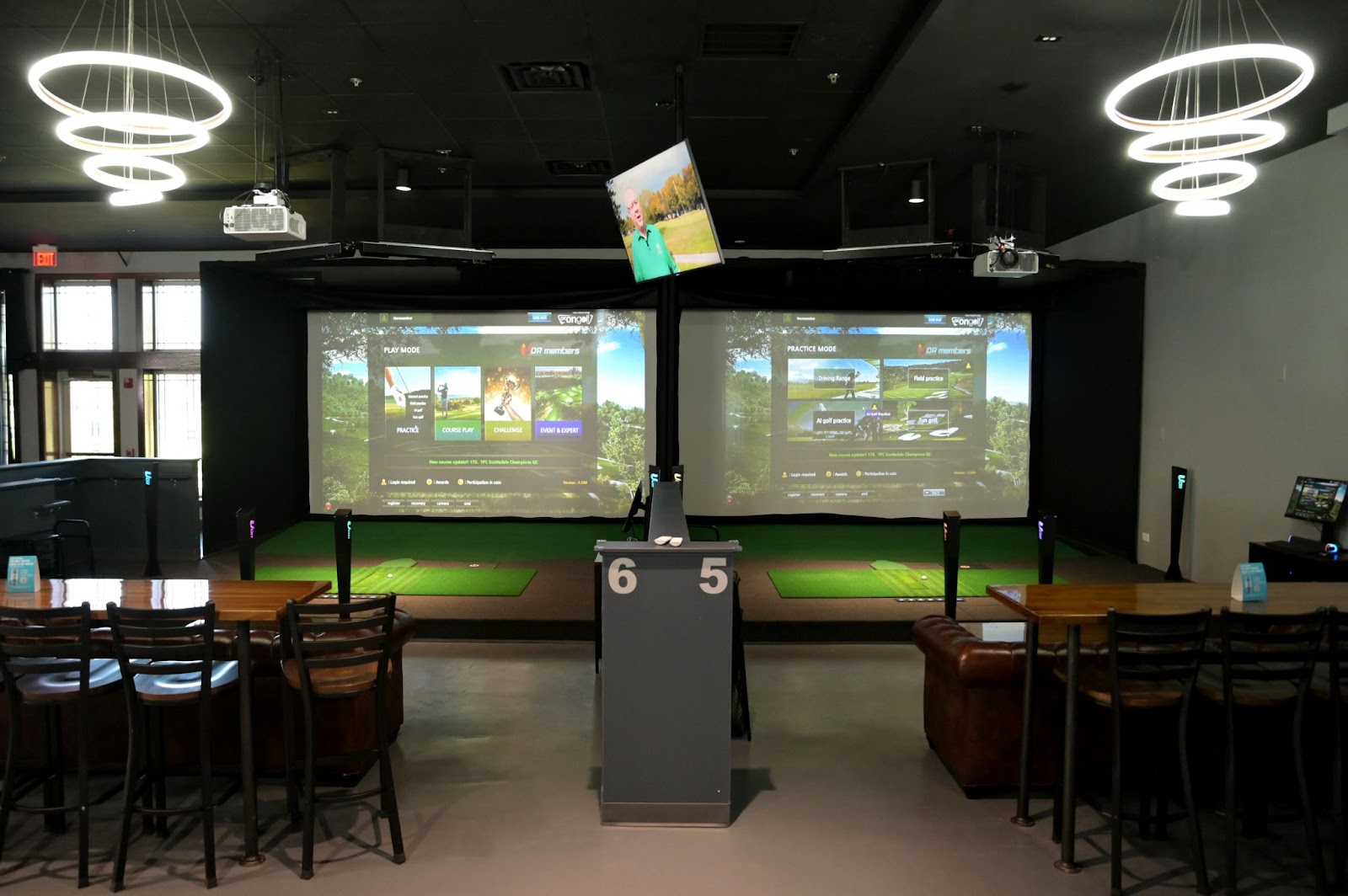
Commercial Golf Simulator Business Guide
There are a lot of ways to build a commercial golf simulator business. Some are full indoor golf centers. Some are one-bay teaching studios. Some are bar and entertainment concepts. Some are golf courses trying to keep members engaged when the grass is frozen and everyone’s pretending to enjoy treadmill season.
The right setup depends on what kind of business you want to run.
Golf Simulator Business Ideas
Before you start pricing equipment, get clear on the business model. A simulator bay can do a lot of things, but trying to be everything to everyone usually makes the business harder to explain, harder to market and harder to run.
These are the commercial golf simulator business ideas we see most often.
Indoor golf entertainment venue
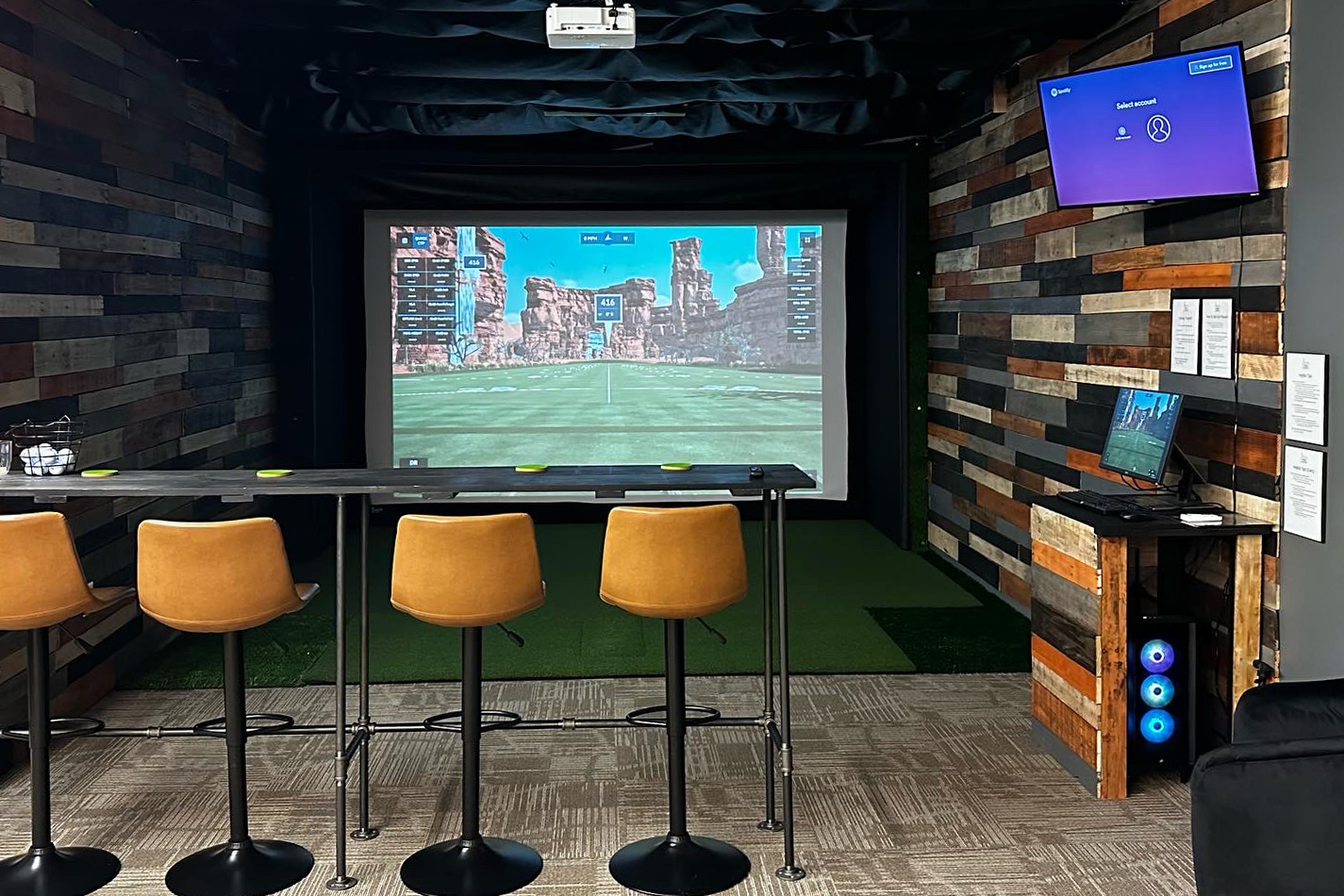
This is the “come play, grab a drink, hang out with friends” model. Think birthday parties, bachelor parties, league nights, date nights, corporate outings and casual rounds with people who may or may not know what their 7 iron does.
For this kind of business, the simulator experience needs to feel fun and approachable. Big screen, comfortable seating, good software options, food and beverage, easy booking. The goal is not just perfect swing data. The goal is getting people to book again.
Golf coaching or lesson studio
If the business is built around lessons, the launch monitor and software matter in a different way. Coaches need reliable data, video tools, club and ball feedback, and enough space to teach safely.
This model works well for golf instructors, teaching pros, academies and facilities that already have a student base. A simulator gives golfers a reason to keep training when outdoor practice is limited, especially in cold-weather markets.
Practice facility
Some golfers do not need a bar, a league or a party package. They want a quiet bay, good data and a place to work on their game after work or during winter.
This model can work with memberships, punch cards, off-hour pricing and recurring practice blocks. Not flashy. Useful. Useful can make money.
Retail store or fitting bay
For golf retail stores, pro shops and club fitters, a simulator bay can help customers test clubs, compare launch monitor data and feel better about what they’re buying.
Simulator data can support better fitting conversations. Swing speed, carry distance, launch angle and shot shape help staff recommend clubs, balls, accessories or lessons based on what the golfer is actually doing, not just what they think they need.
Golf course, country club or driving range add-on
If you already have a golf business, adding a simulator can help keep people engaged when outdoor play slows down. Lessons, fittings, winter leagues, member events, demo days and trip prep can all happen indoors.
A course does not always need to build a full indoor golf center. Sometimes one or two bays in a clubhouse, pro shop, dining room or unused event space can add a whole new revenue stream.
Hybrid indoor golf business
A lot of successful simulator businesses mix several of these ideas. Entertainment on weekend nights. Lessons during the day. Leagues in winter. Corporate events when the calendar needs a boost. Practice memberships for the regulars.
The trick is making sure the room layout, equipment and pricing model can support the way people will actually use the space.
Can a Golf Simulator Business Be Profitable?
Yes, a golf simulator business can be profitable. But not just because golf is popular and indoor golf is fun.
Profitability usually comes down to a few things:
- How many bays you have
- How often those bays are booked
- What you charge per hour, event, lesson or membership
- How much your rent, staffing and utilities cost
- How durable your equipment is in a commercial setting
- How well you create repeat business
One full bay that is booked consistently can be more valuable than three bays that sit empty. Obvious? Yes. Still worth saying.
The biggest mistake is assuming the equipment is the business. It is not. The equipment is the thing people use. The business is the model around it: booking, pricing, experience, marketing, service and repeat traffic.
A better question than “is it profitable?”
Ask: “How many paid simulator hours do I need each month to cover my costs, pay myself and still make the business worth running?”
Space Planning for a Commercial Golf Simulator
Before you fall in love with a launch monitor, projector or wall of turf, figure out the space.
Seriously. The room decides a lot. Know what you're measuring.
Ceiling height, bay width and swing clearance
For a commercial golf simulator, you need enough room for golfers to swing comfortably and safely. A 10-foot ceiling is a common starting point for accommodating most swings, but ceiling height is only one part of it.
You also need to think about:
- Room width
- Right- and left-handed golfers
- How far the golfer stands from the screen
- Space behind the impact screen
- Where the launch monitor needs to sit or mount
- Where the projector can go without getting murdered by golf balls
- Walkways, seating and staff/customer traffic
One owner we talked with originally wanted four or five simulator bays in a 3,500-square-foot space. The open gym area looked big, until they started working through left-handed and right-handed play, screen depth, wall length and space behind the screen. They ended up making two bays right-handed only so they could shrink the width, then kept two wider bays for both lefties and righties.
That is not a failure. That is planning. Better to call the audible before the lease, construction and equipment show up.
Do you need every bay to work for lefties and righties?
Not always.
If every bay needs to support right- and left-handed golfers, you usually need more width. If you are tight on space, you may decide that some bays are right-handed only and others support both. That can help you fit more bays into the building without creating a weird, cramped, “please don’t take a full backswing” situation.
Where will the electronics go?
Launch monitors and projectors need to be protected, mounted correctly and placed where they can actually do their job.
Overhead launch monitors may need to sit 9 to 10 feet off the ground. Some can mount to a ceiling. Some may use a frame mount or drop mount. Some commercial layouts work better with launch monitors mounted to a Pro Enclosure crossbar. Others need separate mounting.
This is one of those places where guessing can get expensive.
Do not forget HVAC
If the space is a warehouse, garage, old building, clubhouse side room or range building, heating and cooling matter more than people expect.
Golfers swinging clubs over and over in a hot room are not having the premium indoor golf experience you promised them. Same with freezing fingers in January. If people are paying for comfort, make the room comfortable.
How Much Does a Commercial Golf Simulator Cost?
Commercial golf simulator setups can start around $10,000 per bay and climb from there depending on the enclosure, launch monitor, projector, software and room needs.
A premium commercial entertainment bay with a larger screen, higher-end launch monitor, commercial mat, projector protection and business-ready software will run upwards of $30,000 per bay.
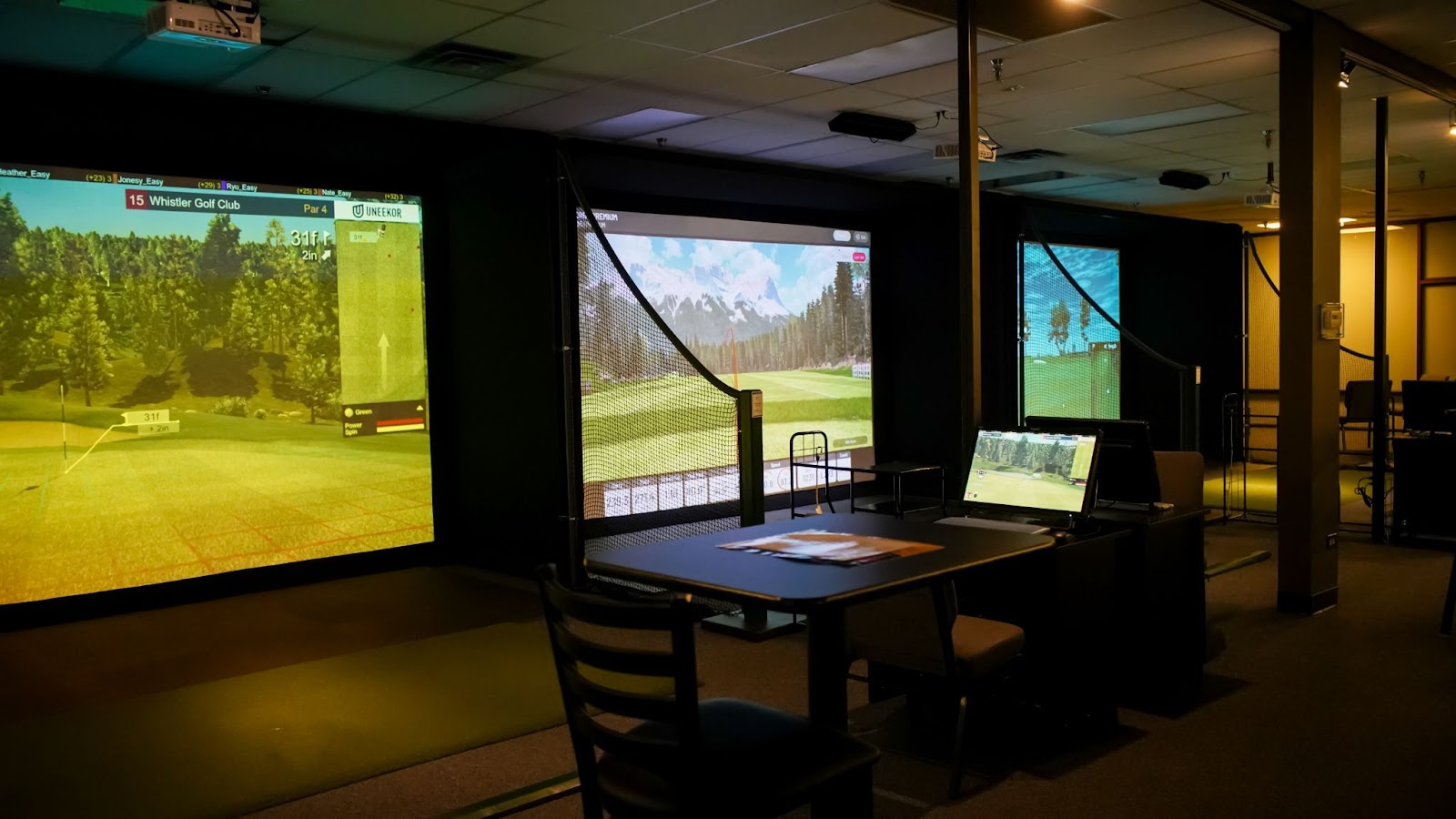
What Equipment Do You Need for a Commercial Golf Simulator?
At the basic level, most commercial golf simulator setups need:
- Enclosure and impact screen
- Launch monitor
- Golf simulator software
- Projector and projector mount or protection
- Hitting mat
- Computer or device to run the software
- Cables, mounts, safety accessories and room finishing
Commercial setups take more abuse than home setups. More swings. More golfers. More mis-hits. More people who say, “I played once in college,” then somehow test the side netting immediately.
That is why durability matters. Screens, mats, mounts and enclosures should be chosen with commercial use in mind, not just the lowest possible cost.
Enclosure and impact screen
The enclosure and screen are the parts customers see and golf balls punish. If your business is busy, your impact screen is going to take a beating.
Carl’s Place commercial builds often use Carl’s Place Pro Enclosures and Premium Impact Screens because they look clean and are built for stronger performance.
Launch monitor
Your launch monitor should match your business model. A coaching bay may need deeper club and swing data. An entertainment venue may care more about reliable play, compatibility and keeping the launch monitor out of harm’s way.
For many commercial setups, overhead or mounted launch monitors are popular because they keep equipment off the floor and away from customers, bags, drinks and the occasional wildly misplaced foot.
Projector
The projector choice depends on your screen size, room depth, brightness needs and mounting options. Some spaces work with a frame-mounted projector. Others need a floor-mounted projector enclosure, especially if projector placement puts it anywhere near the hitting area.
Hitting mat
A commercial hitting mat needs to be comfortable and durable. It also needs to survive a lot more than one person practicing in their basement.
Look for a mat that gives golfers enough stance space, works with your hitting area, and has replaceable hitting sections if wear becomes an issue.

Commercial Golf Simulator Packages
You do not have to build your commercial simulator setup from scratch, piece by piece, while staring at fifty browser tabs and quietly questioning your life choices.
A golf simulator package is usually the better starting point. It gets the major pieces working together: enclosure or room kit, impact screen, launch monitor, projector, hitting mat and the accessories that keep the whole thing from becoming a very expensive guessing game.
From there, you can customize based on your space, budget and business model. A coaching bay does not need the exact same setup as a bar-style entertainment bay. A golf course adding one simulator for winter lessons does not need the same build as a full indoor golf center with multiple bays.
Best starting point:
Start with a golf simulator package, then use Carl’s Build Your Own Golf Simulator tool if you need to customize the size, launch monitor, projector, hitting mat or accessories.
Commercial spaces are rarely one-size-fits-all. Our 3D customizing tool helps you build around the actual room instead of pretending every ceiling, wall and support beam is magically cooperative.
Commercial Enclosure and Room Options
The enclosure or room structure matters a lot in a commercial space. This is what customers see, what golf balls hit, and what has to keep looking good after a whole lot of swings from a whole lot of golfers.
Carl’s Pro (or Curved) Enclosure
For most commercial golf simulator bays.
The Pro Enclosure is built for heavy use with a strong 2-inch EMT frame and durable enclosure material for a dark simulator environment that helps the screen image stand out. Also available with a curved screen, Carl's Curved Enclosure uses the same basic frame, then gives the bay a more wrapped-in, high-end feel.
Carl’s Built-In Golf Room Kit
Best for the right finished room or permanent install.
If your space is set up for it, a Built-In Golf Room Kit can create a polished, permanent simulator room without the full enclosure-frame look.
This can work especially well for clubs, private rooms, higher-end commercial spaces or facilities that want the simulator to feel fully integrated into the room.
Why Carl's Pro Enclosure Works So Well for Commercial Use
Carl’s Pro Enclosure is often the right answer for commercial golf simulator businesses because it is built to handle more than one careful owner hitting balls in a basement.
- 2-inch EMT frame: The larger pipe structure gives the enclosure a stronger commercial-ready frame for repeated customer use.
- Dark enclosure material: The BlackStop™ fabric helps create a darker, more immersive hitting bay so the projected image looks better and the space feels more finished.
- Premium screen options: Choose Premium White or High-Contrast Gray impact screen material depending on your room, projector and image goals. Both are durable options built for serious simulator use.
- Custom sizing: Custom sizing down-to-the-inch helps you build the bay around the actual room.
- High-end look and feel: A polished enclosure makes the space feel more professional, which matters when people are paying to play, practice or host events.
Could you go cheaper? Sure. You can also buy chairs and tables that wobble after three weeks. Commercial use has a way of exposing weak spots fast.
Best Launch Monitors for Commercial Golf Simulators
The best commercial launch monitor depends on how people will use the bay. Entertainment, lessons, fittings and serious practice all put different demands on the setup.
For commercial spaces, mounted launch monitors are usually easier to manage than floor units. They stay out of the hitting area, stay away from bags and drinks, and generally make the room feel cleaner. Floor-based launch monitors can still work in certain commercial setups, but they need more protection and customer management. In a busy business, anything sitting near the hitting area has a higher chance of getting bumped, kicked, moved or introduced to someone’s golf bag.
Commercial Golf Simulator Software
The software you choose affects the experience. Some software is better for serious practice. Some is better for course play. Some is better for games, leagues or customers who are just there to have fun and maybe hit a foam bridge with a virtual golf ball.
GSPro Software for Commercial Golf Sims
GSPro is known for strong graphics, course play, practice tools and a large course library. It is a good fit for golfers who care about realistic virtual golf and course variety.
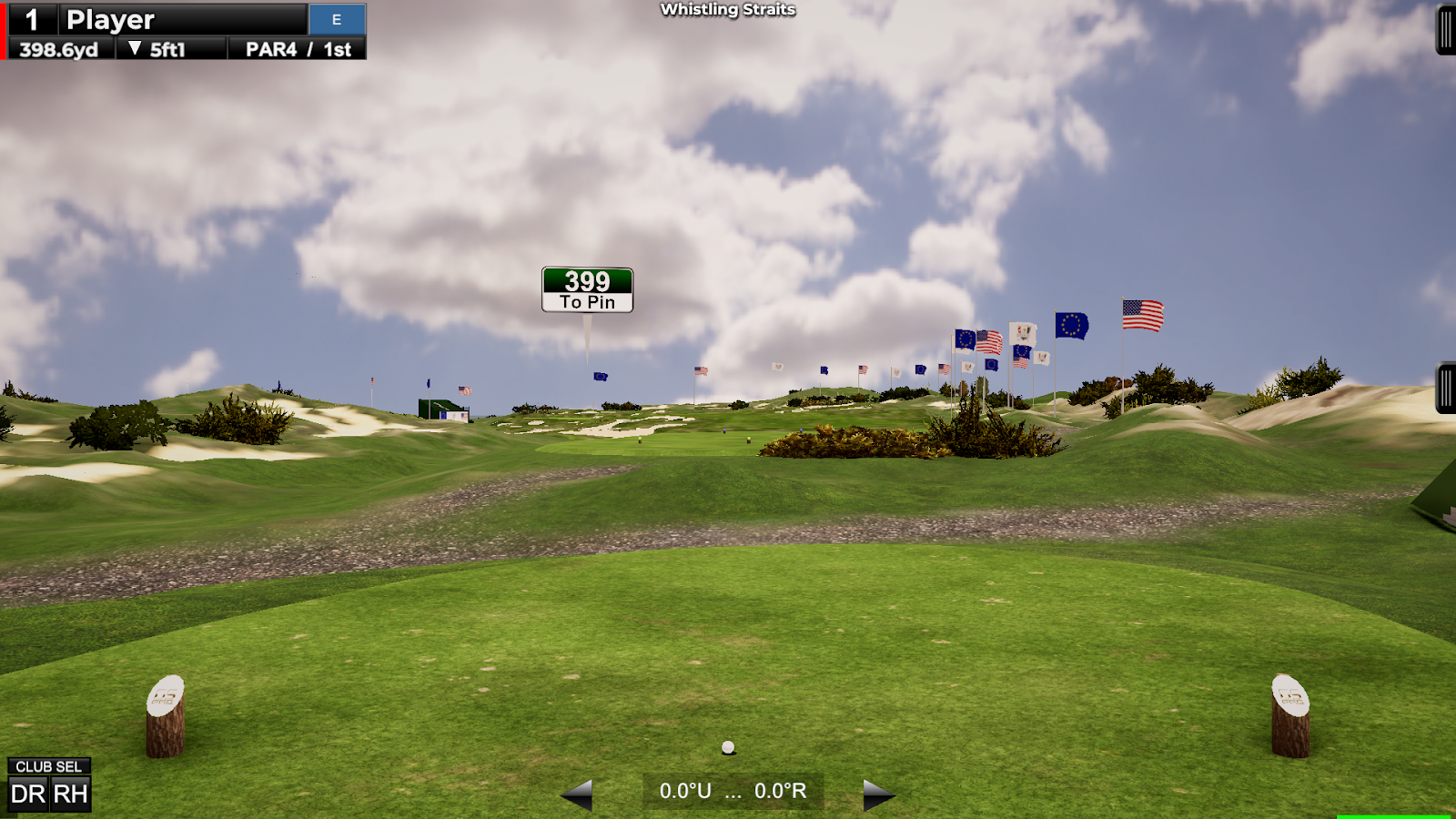
E6 Software for Commercial Golf Sims
E6 has course play, mini games, skills combines, training aids and commercial-friendly tools.

Trackman Software for Commercial Golf Sims
Trackman is a strong fit for commercial golf simulator businesses that want the launch monitor, simulator experience and business tools living in the same ecosystem.
Trackman Performance Studio and the Trackman Golf app can support practice, course play, data tracking and customer profiles. For commercial facilities, the bigger advantage is Trackman’s booking and payment tools. Bay reservations, payments, memberships and player access can all run through the Trackman ecosystem, which can make the business side cleaner for owners and easier for customers.
That matters if you’re running multiple bays, selling memberships, managing leagues or trying to keep staff from becoming full-time schedule referees.
Trackman can be a great fit for premium indoor golf businesses, coaching facilities, country clubs, commercial simulator bays and locations that want customers to recognize the name before they even take a swing.
Read more about running a profitable golf simulator business with Trackman.
Foresight Sports Software for Commercial Golf Sims
Foresight Sports software is another strong option for commercial spaces, especially if you’re building around Foresight launch monitors like the GCHawk, GCQuad or Falcon.
For simulator play, FSX Play is the graphics-forward option. It gives golfers a more polished virtual golf experience, which matters when customers are paying for the session and not just messing around in a garage with a space heater. For fitting, coaching and performance work, FSX Pro is the more data-focused side of the Foresight software lineup. It is built for coaches, fitters and serious players who want to dig into performance instead of just playing a round and calling it good.
That makes Foresight a strong fit for teaching studios, club fitting businesses, retail fitting bays and commercial simulator spaces where accuracy, data and a premium experience matter more than having the broadest entertainment menu.
Customer Booking Software Options
Running a successful commercial golf simulator business requires more than great launch monitors and premium enclosures. It also requires the right booking software. A purpose-built booking platform lets customers reserve simulator bays online, process payments, manage memberships, schedule leagues and lessons, collect waivers, and automate customer communications from a single dashboard.
Many platforms also integrate with door access systems and point-of-sale software, making it possible to operate fully staffed, hybrid, or even 24/7 self-service facilities.
The right software helps maximize bay utilization, reduce no-shows, simplify daily operations, and create a better customer experience. Whether you're opening a two-bay simulator studio or managing multiple locations, investing in a dedicated booking platform can save countless administrative hours while increasing revenue through memberships, leagues, dynamic pricing, and automated customer retention tools.
There are many options out there that offer a lot of the same basic features, but here are some of the more popular golf simulator booking software platforms with an included differentiator:
-
Sports Carnival: Golf simulator booking software built for revenue growth, with flexible memberships, dynamic pricing, automated email and SMS marketing, leagues, clinics, and online booking in one platform.
- AllBooked: Designed for golf simulator businesses. Set up booking rules, memberships, payments, and door access based on how your facility operates, while allowing customers to book on their own.
-
Birrdi: Purpose-built for fully automated, 24/7 indoor golf facilities, with deep integrations for door access and simulator control.
-
Whoosh: Stands out with its premium member experience, offering a polished mobile app and robust club engagement tools.
-
Golfmanager: Ideal for facilities with both indoor simulators and outdoor golf, managing both operations within one system.
-
Indoor Golf Booker: Designed exclusively for indoor golf simulator businesses, with a streamlined interface that minimizes setup and staff training.
How to Price Golf Simulator Time
Your simulator pricing should be based on your costs, your local competition, the experience you offer and how often you expect your bays to be booked. A premium space with great equipment, staff support and food and beverage can usually charge more than a bare-bones room with one bay and a folding chair.
Start with your costs
Before you pick a rate, understand what it costs to keep the doors open.
- Rent or mortgage
- Utilities
- Staffing
- Software fees
- Equipment financing or replacement
- Insurance
- Cleaning and maintenance
- Marketing
- Payment processing and booking tools
Then estimate how many paid simulator hours you realistically expect each month.
Simple minimum hourly rate formula:
Monthly costs / monthly simulator hours x (1 + desired profit %)
= minimum hourly rate
Example: If your monthly costs are $12,000 and you expect 250 booked simulator hours, your base cost is $48 per hour. If you want a 30% markup, $48 x 1.30 = $62.40 per hour.
That does not mean $62.40 is the perfect rate. It means charging less than that, in this example, probably makes the math sad.
Common golf simulator pricing models
- Hourly bay rental: Simple and easy for customers to understand.
- Peak and slower-time pricing: Charge more during evenings and weekends, less during times that usually sit empty.
- Memberships: Useful if you want recurring revenue and regular practice customers.
- Leagues: Great for predictable repeat bookings during winter.
- Lessons and coaching packages: Higher-value use of the bay if you have instructors.
- Events and private parties: Package the bay, food, drinks and time together.
- Fittings and demo days: Especially useful for courses, pro shops and retail spaces.
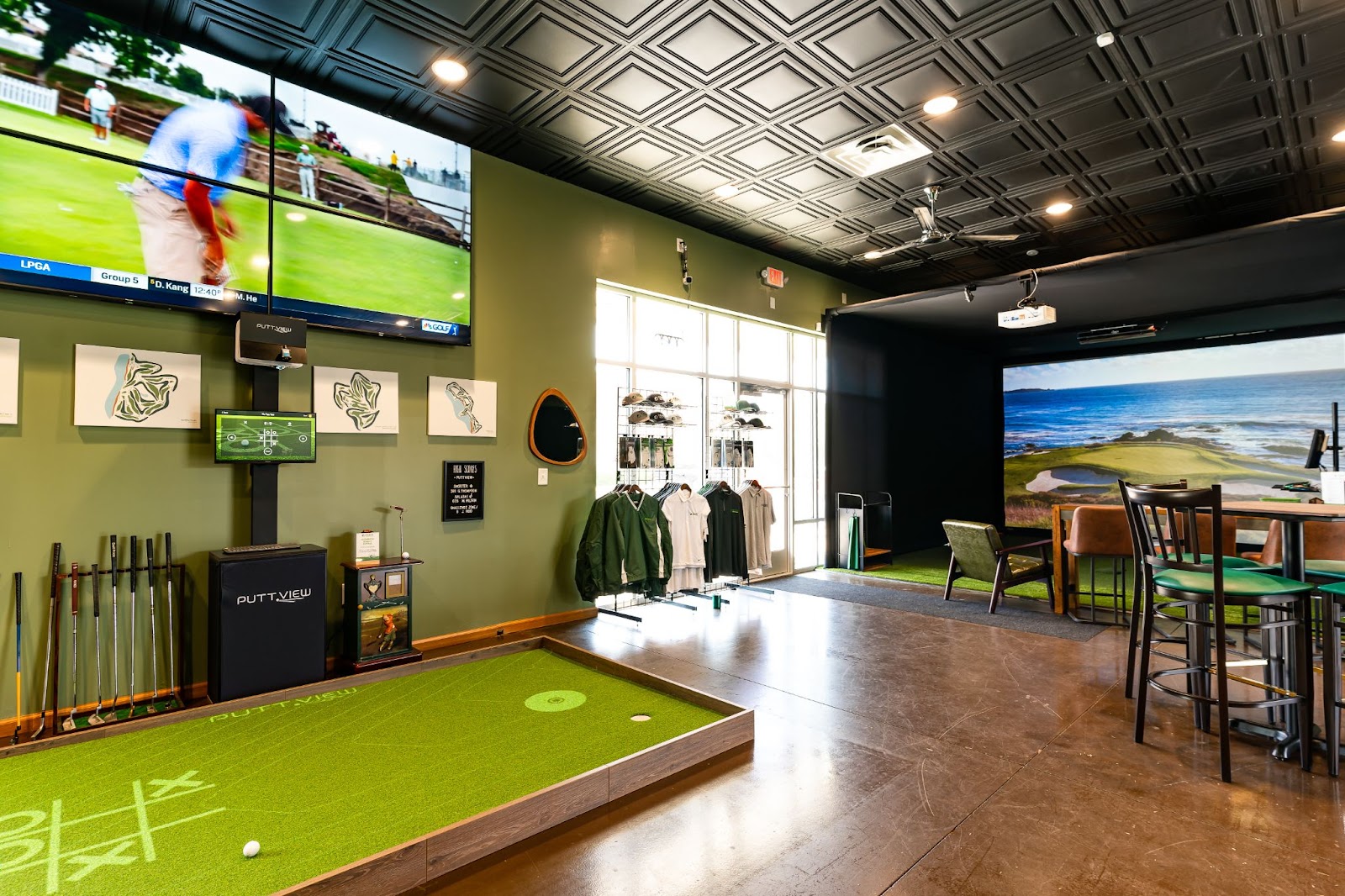
Use tiered pricing
Tiered pricing lets different customers find the option that fits them. Not everyone wants the same thing..jpg?width=960&height=540&name=Tiered%20Golf%20Sim%20Pricing%20(1).jpg)
You might offer:
- Regular hourly rates
- Discounted weekday morning rates
- Winter league pricing
- Memberships with a set number of hours
- Corporate event packages
- Lesson bundles
- Gift cards
Do not race to the bottom
Undercutting the place across town might fill bays for a little while, but it can also train customers to see your business as the cheap one.
If your screens, launch monitors, software, seating, staff and service are better, price like you believe that. Then make sure the experience backs it up.
How to Market an Indoor Golf Business
The best marketing usually starts local. People need to find you, understand what you offer and have a reason to come in this week instead of vaguely thinking, “That looks cool, maybe someday.” Someday is not a booking.
Start with Google Business Profile and maps
For a local indoor golf business, Google Business Profile is huge. Make sure your listing has:
- Correct business name, address and phone number
- Business hours
- Booking link
- Photos of the bays, bar, seating and entrance
- Service categories that match what you offer
- Posts about leagues, events and promotions
- Customer reviews
Also make sure you're marked correctly on Google Maps and Apple Maps. People shouldn't have to launch a treasure hunt to find your front door.
Build repeat reasons to come back
A one-time visit is nice. A regular booking is better.
Use leagues, tournaments, closest-to-the-pin contests, lesson programs, memberships, demo days, club fittings and recurring events to give people a reason to come back.
Winter leagues can be especially strong because golfers still want competition and community when outdoor golf is limited.
Partner with local golf people
Reach out to local golf courses, golf pros, high school coaches, tournament organizers, golf leagues, club fitters and retail stores.
If you are not offering lessons, partner with someone who does. If you do not do fittings, partner with someone who does. If a golf course shuts down or slows down in winter, talk about sending their golfers your way.
One owner we talked with did not plan to teach lessons or sell equipment because a local golf pro already handled those things. Instead of competing, they built a relationship. Good call.
Use social media to show the experience
Do not only post “Book now.” People tune that out fast.
Post things that make the place feel alive:
- League winners
- Funny simulator moments
- Hole-in-one reactions
- Closest-to-the-pin leaderboards
- Course of the week
- Snowstorm posts reminding people indoor golf exists
- Before-and-after bay buildouts
- Customer photos and videos
- Food and drink specials
- Local team watch-party nights
Collect reviews and user-generated content
Ask happy customers for reviews. Not in a desperate way. Just make it part of the process.
Reviews help with local search and trust. Photos and videos help people picture themselves there. If someone has never played simulator golf, seeing a real group having fun can do more than a perfect ad graphic.
Use email or SMS to fill the calendar
Email and SMS are useful for bringing people back. Send updates about leagues, promos, tournaments, new software, holiday gift cards, private events and last-minute openings.
Keep it useful. Keep it local. Keep it from sounding like a dealership wrote it.
How Golf Courses Can Use Simulators to Make Money in Winter
If you run a golf course, country club, driving range or pro shop, a simulator can help keep golfers engaged when outdoor golf slows down.
That is not just a “nice extra.” In cold-weather markets, it can be the difference between your golfers disappearing for four months and your golfers still coming to your place to practice, play, take lessons, get fit and hang out.
-4.jpg?width=3600&name=CarlsPlaceDesignService%20-%20Meier%20(59er)-4.jpg)
Shown here is a rendering of a pair of golf simulator setups Carl’s Place designed for a local driving range in Wisconsin.
Keep members engaged
John Allen, PGA Professional at The 1912 Club in Plymouth Meeting, Pennsylvania, looked into indoor golf because he wanted something that would keep members engaged in winter.
His club planned to use a private dining hall off the main bar for a golf simulator setup with a Carl’s Place Pro Enclosure and Trackman launch monitor. The point was not just golf. It was giving members a reason to still come to the club, socialize and keep the club part of their routine.
I don’t have to put my game to bed for four months.
Split bays by purpose if you can
If you only have one simulator and people are playing full rounds, it is hard to also run lessons. Allen planned to use one area for lessons and practice, and another for play.
That kind of planning matters. Lessons, fittings, practice and entertainment all use simulator time differently.
Use simulators for fittings and demo days
Allen said that at a previous club, he once used a simulator for club fittings over a February weekend and made $10,000 each day with a couple vendors.
That is not a guaranteed result. Obviously. But it does show how a simulator can support more than hourly play. Fittings, demo days and vendor events can bring real revenue into a golf business during months that are usually quiet.
Winter revenue ideas for courses and clubs
- Winter golf leagues
- Member practice sessions
- Lessons and coaching packages
- Club fittings
- Demo days
- Trip prep for members heading to destination courses
- Junior clinics
- Private events
- Rainy-day tee times
- Corporate outings
Real Indoor Golf Business Examples
Real examples help because every commercial golf simulator business looks a little different. Different buildings. Different customers. Different reasons for opening.
Slice Golf: small-town indoor golf that found its people
Slice Golf opened in Evansville, Wisconsin, a small town with a population barely over 5,000. Owner Andy Tomlin grew up around golf, coached high school golf and saw an opportunity to give local golfers something they had usually driven to bigger cities to use.
Slice used Carl’s Place equipment, including two Pro Enclosures with Premium Impact Screens and Uneekor EYE XO launch monitors. The business also built in multiple software options so different customers could use the space differently: serious practice, course play or more casual fun.
The lesson: small-town does not automatically mean small opportunity. If the local golf community is strong and people are used to driving elsewhere, bringing indoor golf closer can work.
Sand Trap Indoor Golf: adjust the layout before the room punishes you
Sand Trap Indoor Golf in Coeur d’Alene, Idaho, originally wanted more simulators than the space could comfortably support. After working through the layout, they adjusted the plan and used a mix of bay sizes to support both right-handed play and left/right-handed play.
The lesson: build the bay plan around the actual room, not the dream version of the room.

Blind Shot Social Club: make it fun for golfers and non-golfers
Blind Shot Social Club in Madison, Wisconsin, is a good example of an indoor golf business that does not treat “serious golfer” and “fun night out” like they have to be separate things.
Owner Brent Mann wanted a place where golfers could get a top-notch simulator experience, but non-golfers could still walk in, order good food and drinks, and treat indoor golf more like darts or pool at a bar. Less intimidating. More “sure, I’ll try it.”
Blind Shot has four public simulator bays, a private simulator room, an undulated putting green, food and cocktails, non-alcoholic drinks, lessons, fittings, leagues and apparel. Basically, golf is the anchor, but the whole experience is the product.
If you golf, you get it, you understand it. But if you don’t golf or are intimidated by it, we wanted to have an environment where you enjoy being in the space, the food is good, the cocktails are good … but there is also golf.
The screen choice mattered too. Mann had tried a cheaper screen in a previous indoor golf setup and quickly realized sound, image quality and durability were not small details. In a commercial space, those things become part of the customer experience fast.
Blind Shot used Carl’s Place impact screens for the balance of image quality, durability and acoustics. As Mann put it, a great projector and great software do not matter much if the image does not show up well on the screen.
The lesson: if you want to reach beyond serious golfers, build the business around the full experience. Food, drinks, private events, vibe, comfort, screen quality, sound and accessibility all matter. The simulator bay still has to perform, but the space around it is what gets more people through the door.
Sharp Golf: membership model and 24/7 access
Sharp Golf in West Haven, Utah, used a membership model because the goal was 24/7 access. That changed the pricing structure and customer relationship. Instead of only selling one-off tee times, they sold ongoing access.
The lesson: your booking model should match how you want people to use the space.

The 1912 Club: winter engagement for members
The 1912 Club’s simulator plan was not just about adding technology. It was about giving members a reason to come in during winter, keep practicing and stay connected to the club.
The lesson: for courses and clubs, simulators can support membership value, not just hourly revenue.
WJ Golf: build for training, entertainment and expansion
WJ Golf is a good example of a commercial simulator business that saw indoor golf as both a training tool and an entertainment concept.
Co-founder Won Cho opened WJ Golf with co-founder Jason Jung and partnered with MVP Fieldhouse in Lake Zurich, Illinois, to create a multi-unit, multi-sport concept. Along with indoor golf, MVP Fieldhouse also had baseball, cricket and CrossFit facilities.
For WJ Golf, the simulator bays needed to work for serious practice, lessons and entertainment. Cho said the goal was to create a facility and technology that felt world class, while still supporting the entertainment side of the business.
As we grow our business, we are focused on the entertainment side, but it works for the training side as well with a lot of PGA instructors already teaching on our platform.
WJ Golf used Carl’s Place Pro Enclosures and Premium Golf Impact Screens in its locations. Cho said they chose the same setup again because it could handle ball speed, sounded good on impact and gave the facility the high-end look they wanted.
We wanted to do the high end, aesthetically pleasing look," Cho said, "and that just goes really well with all of the Carl’s Place Pro Enclosure Kits using the Premium Screen.
The premium screen also stood out to customers. Larry Butz, a WJ Golf customer, said the image quality made the simulator experience feel more realistic.
The graphics and the depth perception are so realistic compared to other simulators that I’ve seen.
The lesson: if you’re building a commercial simulator business you want to grow, the setup has to do more than function. It needs to look professional, hold up to customer use, support training and entertainment, and make people feel like they’re walking into a serious indoor golf facility.
How Carl’s Place Helps Plan Commercial Golf Simulator Setups
Commercial simulator projects can get complicated fast. Room size, ceiling height, enclosure depth, launch monitor placement, projector throw distance, hitting mat size, safety, durability, software, budget. All of it needs to work together.
Carl’s Place can help you sort through the setup before you start ordering pieces and hoping they all fit together like a golf-themed IKEA project.
We can help with:
- Commercial golf simulator layout planning
- Custom enclosure and impact screen sizing
- Launch monitor and projector placement
- Commercial package recommendations
- Hitting mat and flooring options
- Software and accessory planning
- Questions about building around an existing space
If you already know your room dimensions, budget and business model, great. If you have a rough idea and a weird room with a support beam in the worst possible spot, also great. We’ve seen things.

Ready to Start Your Golf Simulator Business?
A commercial golf simulator business can be a full indoor golf center, a teaching studio, a bar add-on, a pro shop fitting bay, a golf course winter revenue play or some combination of all of the above.
The best setup starts with the business model. Then the room. Then the equipment.
Start there, and you have a much better chance of building something people actually book, use and tell their friends about.
Still working through the details? Carl’s Place can help you plan the space, pick the right equipment and build a simulator setup that fits the business you’re trying to run.
Search articles by tag:
Golf SimulatorsRelated Posts
Golf Impact Screens, Golf Simulators, Resources, Golf Enclosures, Swing Cameras
How to Start and Grow Your Golf Instruction Business

Golf Simulators
Best Time to Buy a Golf Simulator: Seasons, Timing & Planning Tips
Golf Impact Screens, Golf Simulators, Projectors
How to Master the Curved Golf Simulator Screen, DIY, Projector Setup, and More