The Carl's Place Build Your Own Golf Simulator tool is the most comprehensive golf simulator configurator available online. Custom screen sizing, real-time compatibility checks, live 3D visualization, and a complete build you can actually buy. No quote forms. No salesperson handoff. No guesswork.
It launched in 2022 as the first golf simulator configurator of its kind. The 2026 version added live 3D visualization and real-time compatibility guidance. Nobody else has built anything close.
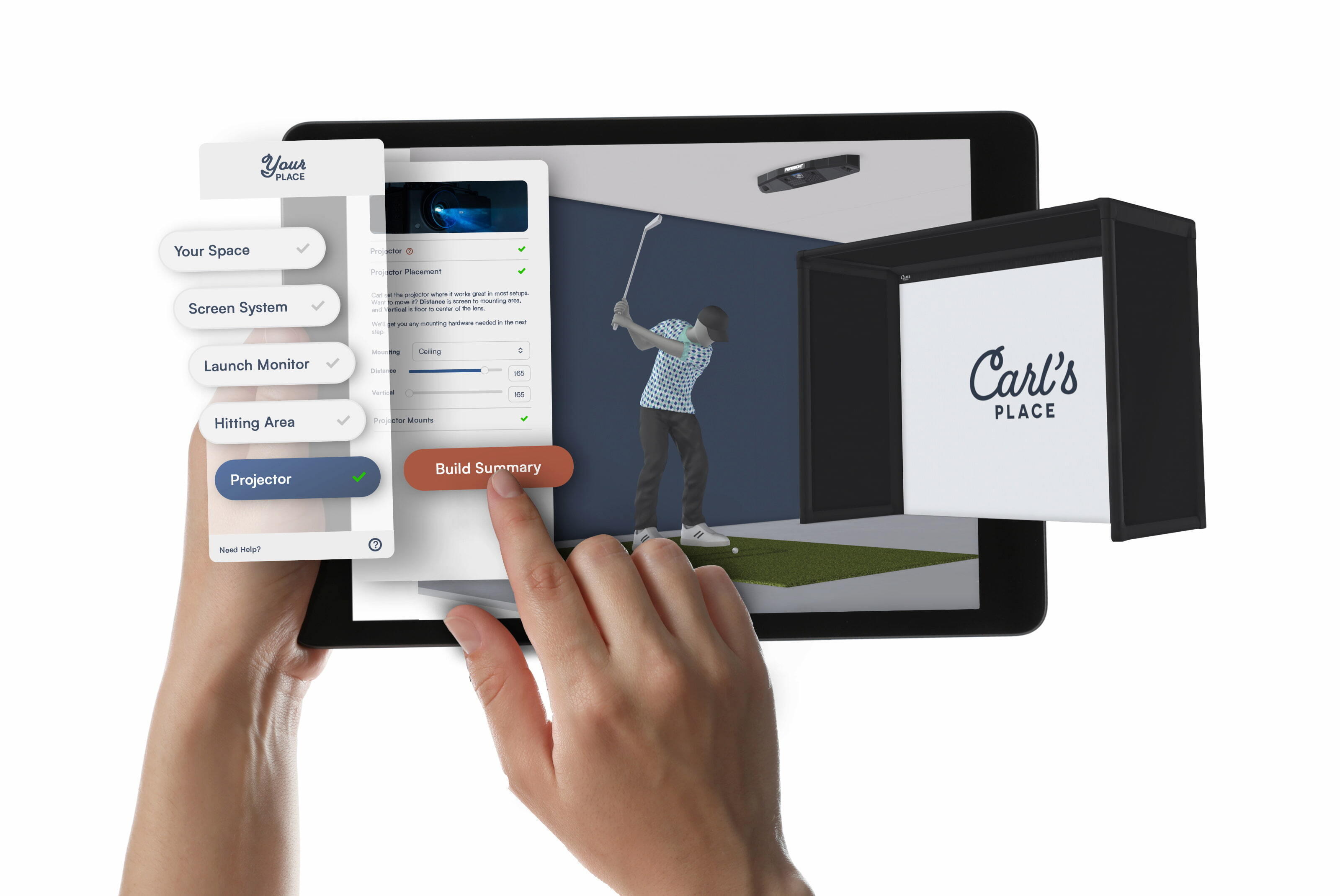
Screen sizing, projector placement, launch monitor compatibility, enclosure fit, software, mat selection. All of it configured in one place, with live pricing and a 3D view that updates while you build.
When the build is finished, add everything to your cart and order it. Or save it and share it with your partner. Or send it to the Carl's Place team for review if you want a second set of eyes before ordering.

What People Are Saying
"Not a better tool to do this on the market right now."
"Unbelievably cool."
"Being able to do all of this configurating on my own...was absolutely amazing."
What Makes Carl's Golf Sim Configurator Different
Most golf simulator tools are really just package selectors with nicer graphics. You pick a size from a short list, maybe swap a launch monitor, and hope everything works together when the boxes show up.
The Carl's Place Build Your Own Golf Simulator tool was designed differently. Instead of forcing your room into preset packages, the configurator builds the simulator around your dimensions and checks compatibility while you go.
- Fully custom screen sizing with no custom fees
- Real-time pricing across the entire build
- 3D visualization based on your room dimensions
- Automatic projector throw distance calculations
- Launch monitor positioning and mounting guidance
- Compatibility checks across every component
- Complete build summary you can buy online immediately
Most golf simulator configurators with anything custom about them stop at "contact salesperson." Custom sizing introduces enough variables that most tools simply can't keep up. Carl's handles all of it in real time, fully priced, ready to buy, custom dimensions and all.
Everything the Tool Configures
Carl's golf sim configurator walks through every major part of the indoor golf setup in sequence. As selections change, the pricing, compatibility guidance, and 3D visualization all update automatically.
Here's what you'll walk through:
- Room dimensions, to make sure everything will fit
- Golfer info, to make sure your 6'5" friend won't cast shadows on the screen and your left-handed friend has a place to golf
- Simulator type, choose between a Freestanding Enclosure, Wall-to-Wall Built-In, or Impact Screen Only
- Golf screen material and sizing, all validated to fit your space
- Launch monitor and mounting setup
- Simulator software
- Hitting mat selection
- Projector and projector placement
When the build is complete, you get a full summary with live pricing and every selected component in one place. Buy it immediately, save it for later, share it with someone else, or send it to the Carl's Place team for review before committing. That last option is free, and an actual human looks at it.
See How It Works
Room dimensions to full build summary in one sitting.
Common Golf Sim Build Mistakes the Configurator Eliminates
A golf simulator build has a way of turning into 11 browser tabs, 16 Reddit threads, and someone explaining projector throw ratios in an "easy" way. The Build Your Own tool pulls every important decision into one place and checks how they work together as you go.
- Picking a screen size that technically fits but leaves no buffer space for a safe swing
- Choosing a projector that can't actually fill the screen
- Getting a launch monitor that needs more ceiling height than you have
- Ending up with a standard size enclosure when your room calls for something custom
- Discovering component conflicts after everything is installed and turned on
- Realizing the true cost only after the add-ons stack up
Golf Simulator Projector Placement Made Easy
Nobody starts shopping for a golf simulator hoping to learn projector math. But throw ratios become important surprisingly fast when you start trying to fit a simulator into a real room.
So, how about we skip all that and let Carl do it?
Carl's configurator automatically shows you which projectors will work in your space by calculating projector placement based on your room dimensions and screen size. If something does not work, the tool flags it before it lands in your cart. Our goal is to make sure everything works together before you start drilling holes in the ceiling.
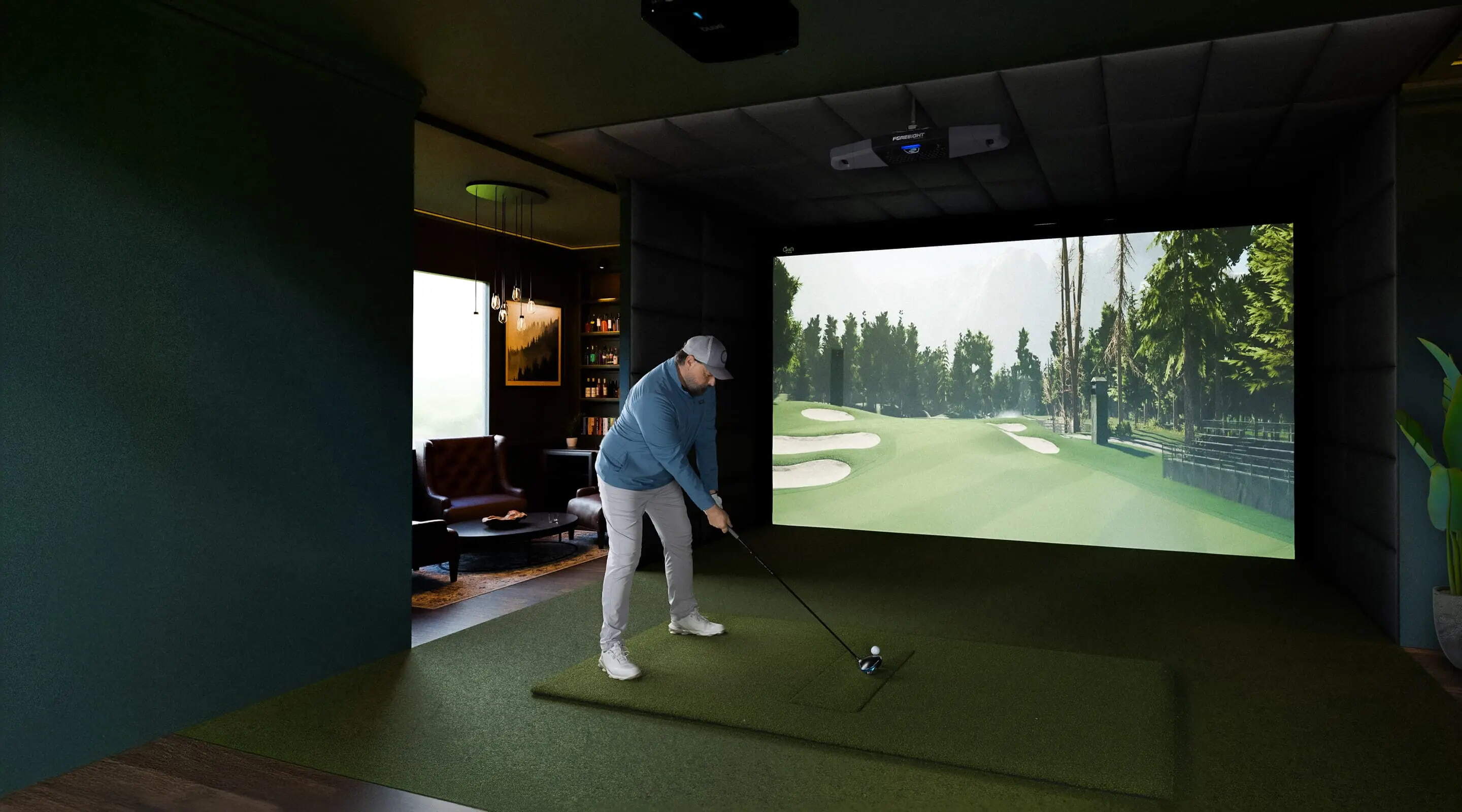
Which Launch Monitor Works Best for My Golf Simulator Setup?
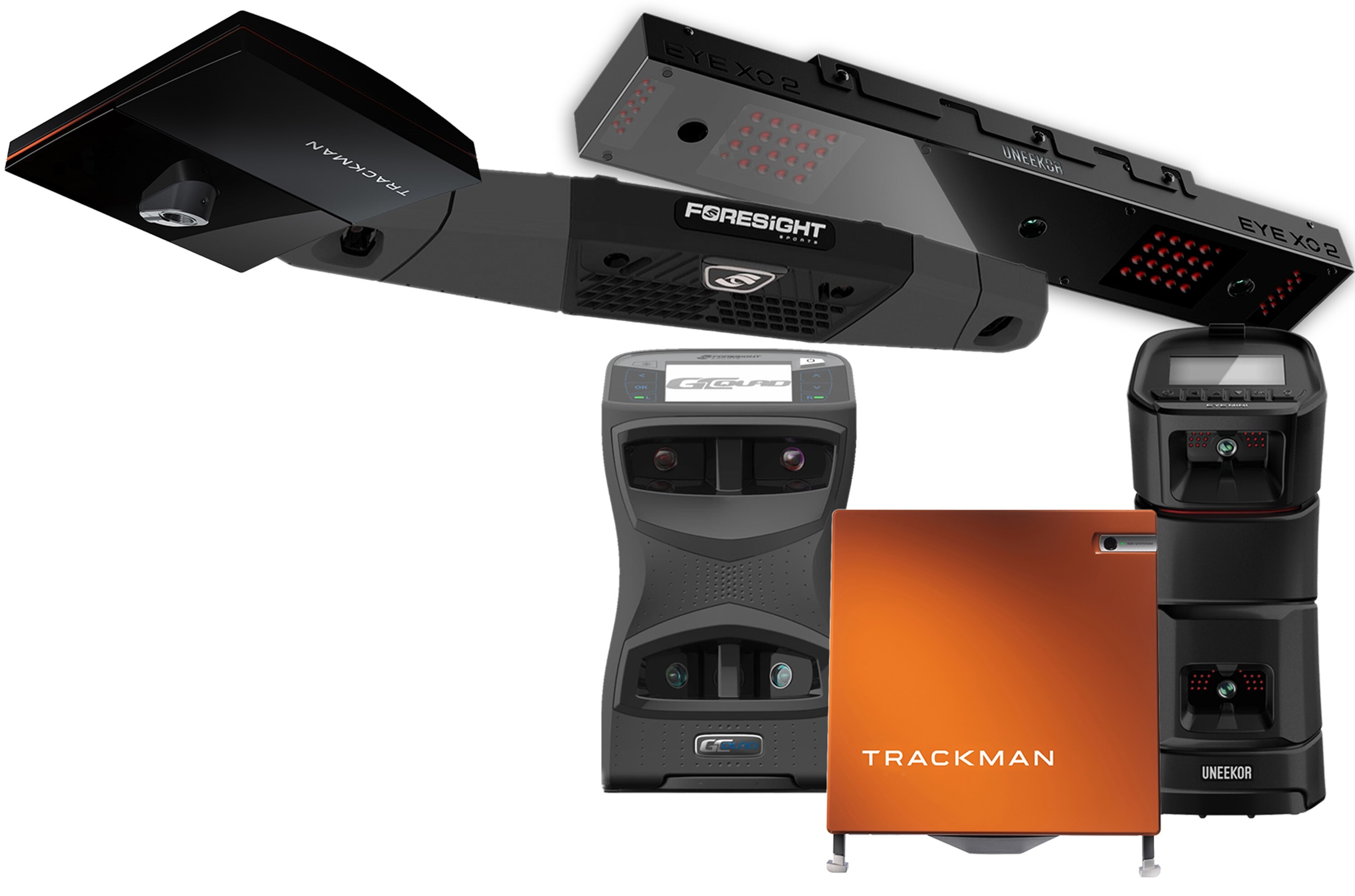
Trackman golf simulators, Uneekor golf simulators, Foresight golf simulators, FlightScope, Garmin, Bushnell, and Rapsodo. There's no shortage of options, and a golf simulator only works when every piece of it works together.
Your room, your launch monitor, your enclosure, your screen size, your mounting setup. It's all one system.
How Different Launch Monitors Change Your Simulator Layout
Room dimensions are the starting point. They define the physical boundaries, which determines your enclosure and screen size. The tool then makes sure whatever launch monitor you choose actually fits and functions within that space.
- Radar-based systems like Trackman 4 or FlightScope Mevo Gen2 typically require more depth behind the hitting area to track ball flight accurately. That depth requirement becomes one of the first real constraints in a garage or basement build.
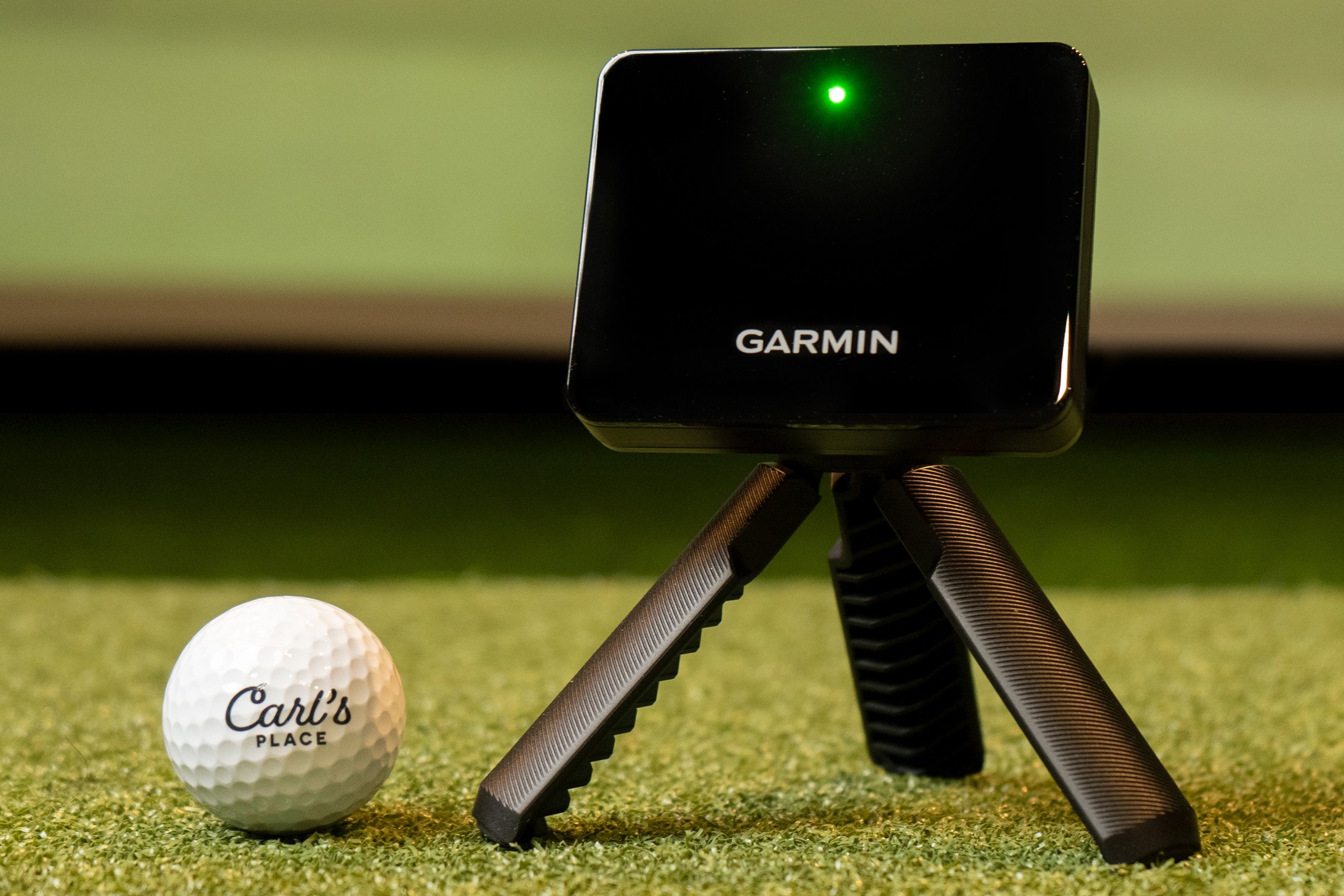
- Camera-based systems like Foresight GCQuad, Garmin R50, or Uneekor EYE MINI are less dependent on ball flight distance, but more sensitive to alignment, hitting zone positioning, and how the enclosure is set up.
- Overhead systems like Uneekor EYE XO and ProTee VX shift requirements upward. Ceiling height, mounting location, and structural components all become part of the decision before anything else is finalized.
The Common Mistake
A lot of builds start with the launch monitor because it feels like the most important piece. Trackman, Uneekor, or Foresight gets picked first for brand recognition, and everything else gets adjusted around it afterward. The problem isn't the choice. It's the timing. Once you've committed to a launch monitor, everything else has to bend around it, and that's when compromises start showing up.
How the Build Your Own Tool Handles Launch Monitors
The Carl's Place Build Your Own Golf Simulator tool places launch monitors where they actually belong in the process: after room dimensions and the enclosure system have been defined. Once your space and screen setup are locked in, the configurator only shows launch monitor options that make sense for that specific build. Trackman, Uneekor, Foresight, Garmin, ProTee, and Rapsodo are all considered in context, not in isolation.
As you select a launch monitor, the tool updates layout guidance and compatibility in real time. It removes combinations that won't work in your setup before you can accidentally choose them. Compatibility isn't checked once at the end. It runs continuously, the entire time you're building.
Frequently Asked Questions
How much room do I actually need for a golf simulator?
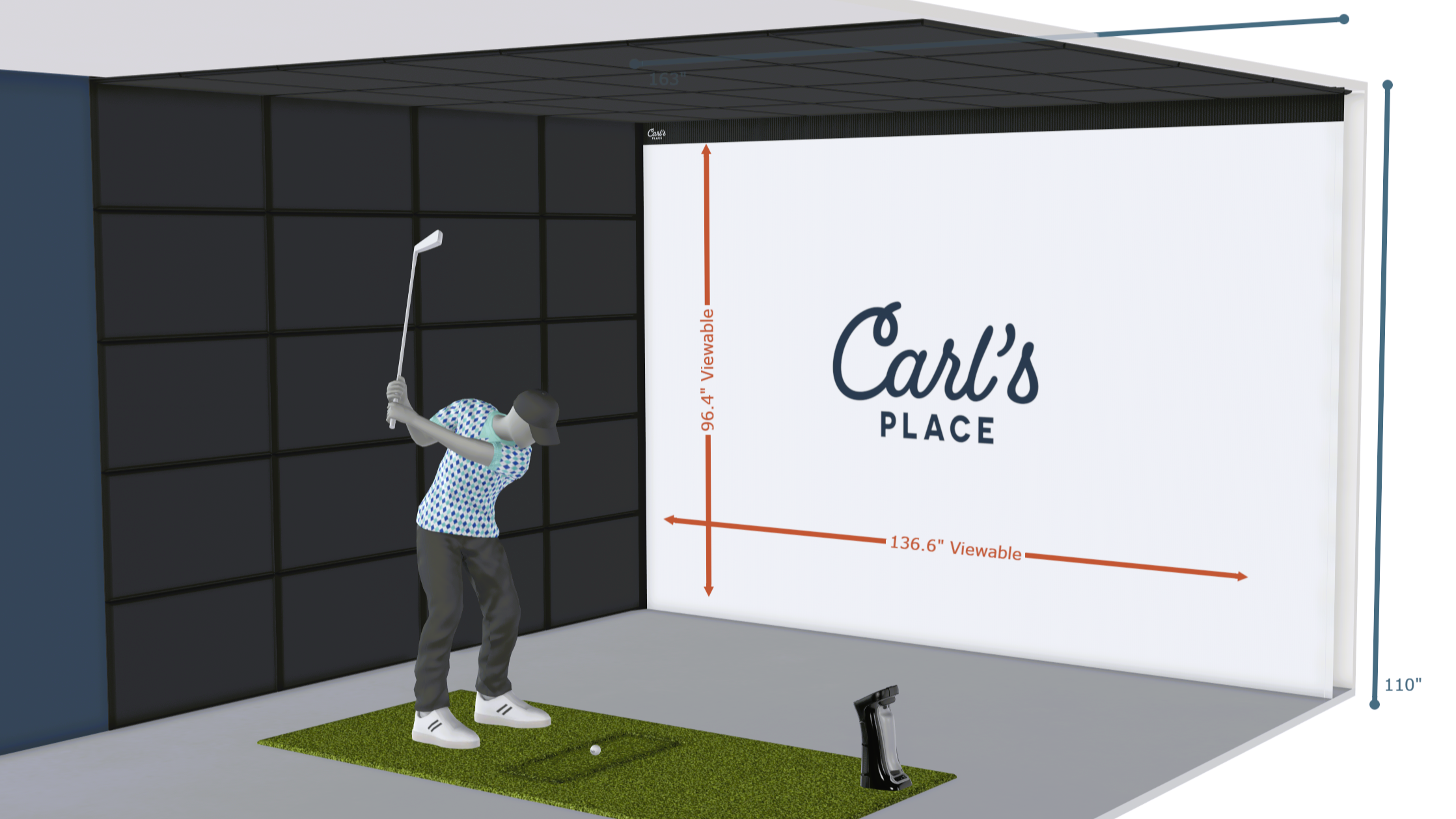
We recommend you plan for at least 14 feet wide, 10 feet tall, and 18 feet deep for you golf simulator. Though people do get away with installing golf simulators in smaller spaces, you just usually have to make some compromises on gear you can use. Before you start building, measure your width, length, and ceiling height, paying attention to any obstructions like beams, ducts, or doors. Check out our full guide on what to measure for a golf simulator.
Is Carl's golf simulator planning tool free?
Yes. Free to use, free to save, free to share, and free to submit for a team review. We're still talking to Carl about free to purchase, but he hasn't agreed quite yet.
How accurate is the 3D visualization and compatibility checker?
What you see in the 3D view is a real representation of your build based on your dimensions and component selections. The compatibility checker runs alongside it the entire time, flagging anything that won't work before it becomes your problem. Neither one replaces a tape measure, but together they get you closer to a confident purchase than anything else out there. The human review option is there for anyone who wants one final set of eyes before ordering.
What happens if I change my room dimensions after I've already started building?
The tool adjusts automatically to your updated space and flags any components that were affected by the change so nothing slips through unnoticed.
Does the tool account for how tall I am or which hand I play with?
Yes. The tool factors in golfer height and handedness, and uses that information to optimize the build and minimize shadow interference for the best possible image.
Can I change components after I've started, or go back to a saved build later?
Yes and yes. The build is fully editable at any point, and saved builds can be picked up right where you left off.
Can I get my build reviewed by someone before I buy?
Yes. Share the link to your build with the Carl's Place team and we'll take a look before you commit to anything.
Is there an extra charge for custom screen sizing?
No. Custom sizing is priced in line with standard sizes. There's natural variation in custom pricing since the math is calculated per dimension rather than pulled from a preset, but you won't pay a premium just because your screen isn't a standard size.
How much does a golf simulator cost?
A home golf simulator typically ranges from $3,000 for a basic setup to $20,000+ for a fully built-out system with premium components. The total depends entirely on how you configure it. Every simulator is a different combination of screen, enclosure, launch monitor, projector, software, and hitting mat.
With Carl's Build Your Own Golf Simulator tool, pricing updates in real time as you build. No separate parts list, no talking to a salesperson, no custom sizing quotes. You see exactly what it costs the entire time you're building it.
Built on Real Golf Simulator Experience
Carl's Place has spent decades helping people get this right. Thousands of simulator spaces, more customer calls than we can count, and enough iterations on this golf sim planning tool to make the development team briefly consider other careers. The collective golf simulator knowledge at Carl's Place is frankly alarming, and we put all of it in here.
The golf simulator industry has a habit of making this harder than it needs to be. Carl's Build Your Own is our answer to that.
Start with your room dimensions and build from there. Every selection is checked in real time, every component validated to your space.
There is no better way to build a golf simulator.
Search articles by tag:
Golf SimulatorsRelated Posts

Golf Impact Screens, Resources
Building the Ultimate $20K Golf Simulator

Golf Impact Screens, Resources
$5k Budget Golf Simulator Setup Ideas
DIY Golf Enclosures, Golf Simulators
$3k Budget | How to Make a Low-Cost Golf Simulator